Readers researching ai face swap can use this review to see how Higgsfield performs as an image-generation platform, including its credit costs, output quality, speed, watermarking, and usage terms.
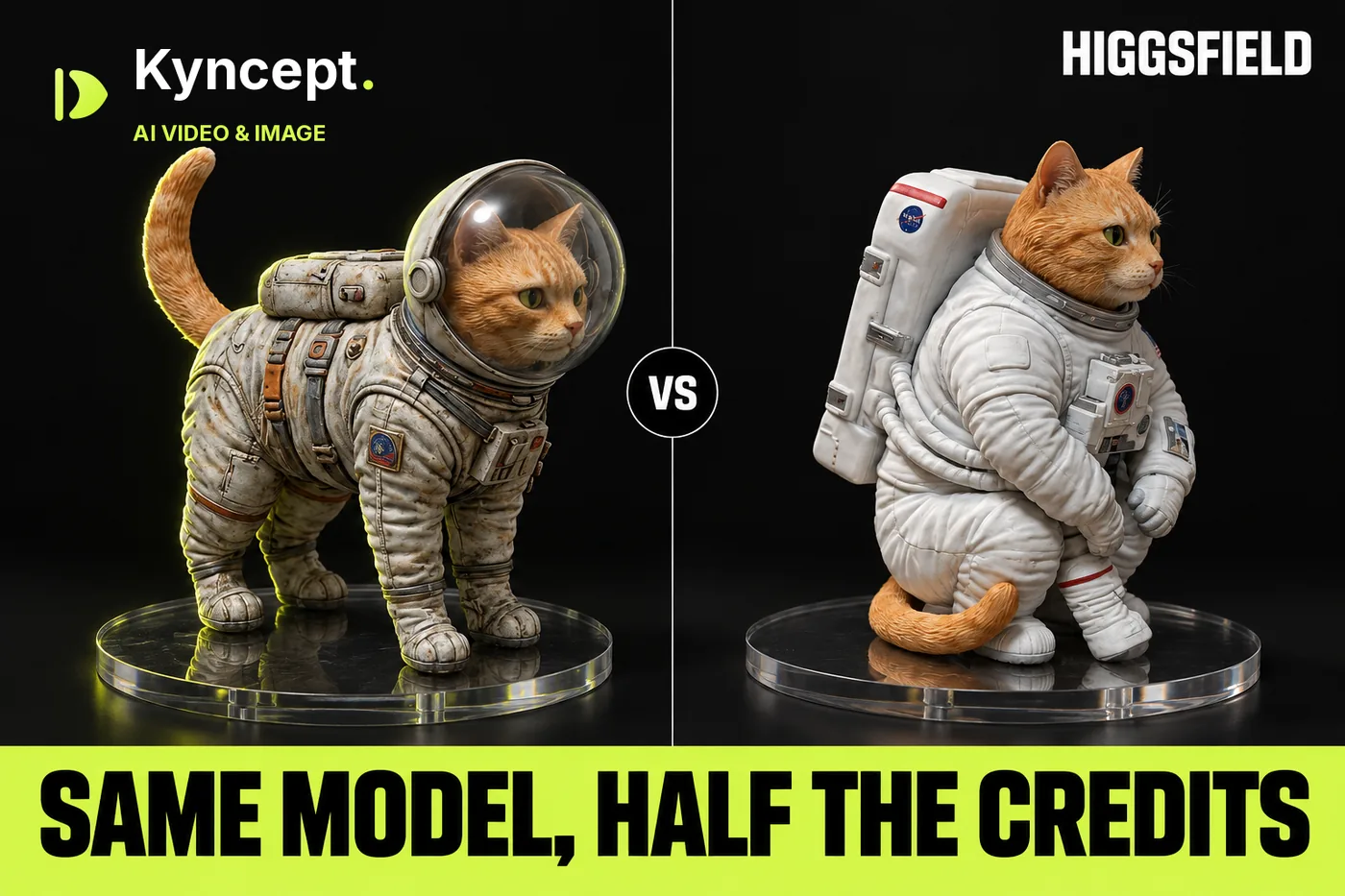
I ran the viral "1/7 scale figurine" prompt through Nano Banana Pro on Higgsfield and on Kyncept, five images in total. The pictures came out a tie, because the model draws them, not the platform. The bill did not: Higgsfield charged 2 credits per image, Kyncept charged 1, and the Higgsfield file arrived with a watermark baked into the pixels.
Independent review: both products were run on my own accounts — Higgsfield on new free tiers, Kyncept on a paid Pro plan — with no vendor-provided access.
My verdict in 60 seconds — Higgsfield 60/100, Kyncept 90/100
Same model, same prompt, same 1376×768 output: Higgsfield is the faster image generator, and Kyncept (https://kyncept.com) is the one that gives you twice the images for the same $59.
- Image quality — Higgsfield 8/10 · Kyncept 8/10 — tie; both run Nano Banana Pro and both produced one great and one flawed figurine
- Prompt adherence — Higgsfield 7/10 · Kyncept 7/10 — tie; ZBrush on screen in 1 of 2 Higgsfield images vs 2 of 3 Kyncept images
- Price per image — Higgsfield 4/10 · Kyncept 9/10 — $0.098 (2 credits) vs $0.049 (1 credit)
- Speed — Higgsfield 9/10 · Kyncept 5/10 — ~25 s vs 63.7–91.7 s, Higgsfield is 2.5–3.5× faster
- Watermark — Higgsfield 3/10 · Kyncept 9/10 — "HIGGSFIELD AI" baked into both free PNGs; none on my Kyncept Pro files
- File size — Higgsfield 6/10 · Kyncept 9/10 — 1.83 MB PNG vs 0.91 MB JPEG at identical resolution
- Upsell pressure — Higgsfield 3/10 · Kyncept 9/10 — 5 kinds of upsell in one Higgsfield session vs 0 pop-ups on Kyncept
- Commercial rights — Higgsfield 4/10 · Kyncept 9/10 — Higgsfield free plan is not for commercial use; Kyncept FAQ allows commercial use
The concrete problems with Higgsfield for images:
- Every Nano Banana Pro image costs 2 credits, so $59 buys 600 images instead of 1,200.
- The free PNG carries a "HIGGSFIELD AI" mark in the bottom-right corner of the raw file, not just on the page.
- Free accounts are capped at 1K resolution, and many image models wear a PREMIUM badge.
- The result appears between a 51% OFF countdown banner and a Seedance 2.5 banner.
For a figurine or merch shop that needs volume, I would use Kyncept.
The test: one prompt, one model, two platforms
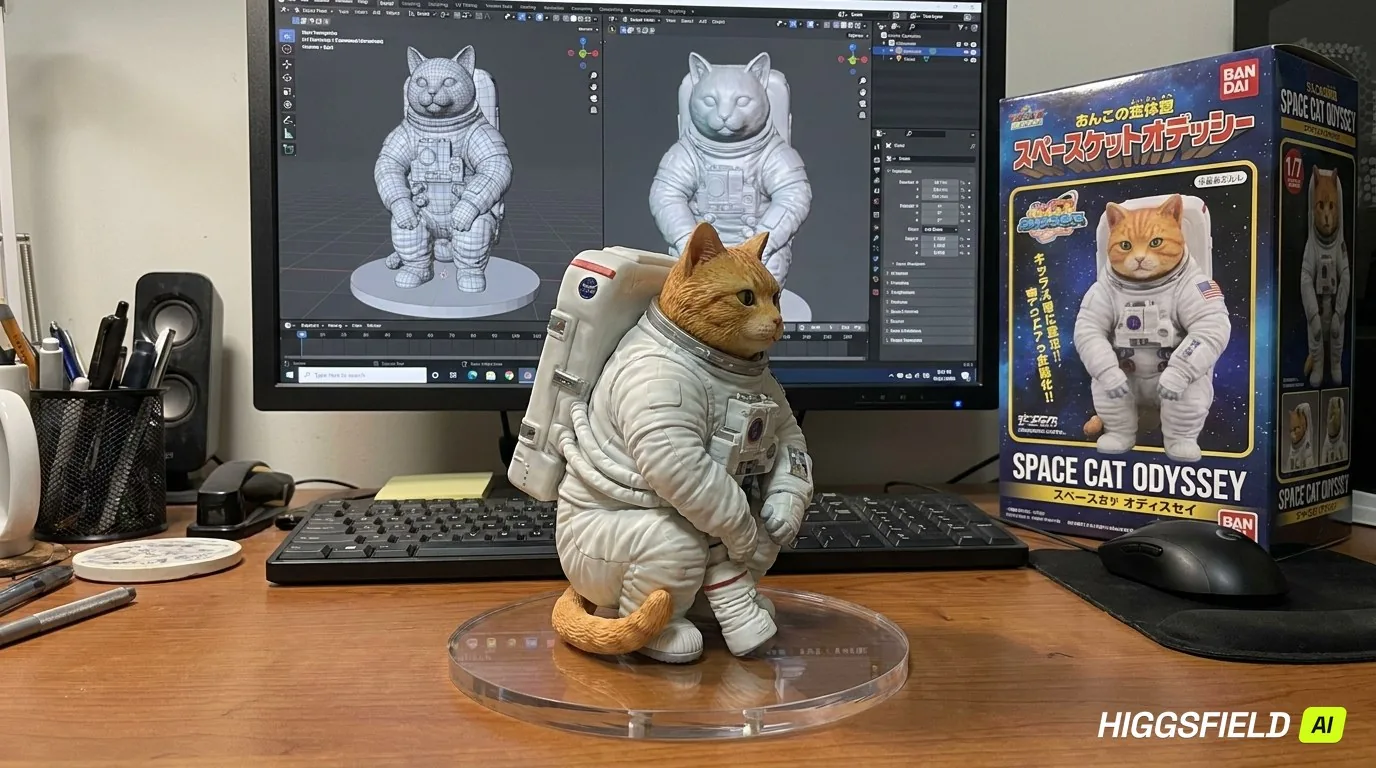 Higgsfield #1: Blender on the monitor, an invented "SPACE CAT ODYSSEY" box, and the watermark in the corner.
The prompt is the "1/7 scale figurine" trend from the Nano Banana craze, run verbatim at 16:9 on both sides: an orange tabby cat astronaut figurine on a computer desk, a transparent acrylic base, the ZBrush modeling process on the screen, and a BANDAI-style box printed with the original artwork.
I picked Nano Banana Pro on both platforms. Higgsfield (https://higgsfield.ai) ran on two brand-new free accounts with 10 credits each. Kyncept ran on a paid Pro account. That difference matters for the watermark section, and I flag it there.
- Model — Higgsfield Nano Banana Pro · Kyncept Nano Banana Pro · identical
- Output size — Higgsfield 1376×768 · Kyncept 1376×768 · identical
- Images generated — Higgsfield 2 · Kyncept 3 · 5 total
Five figurines, one honest tie
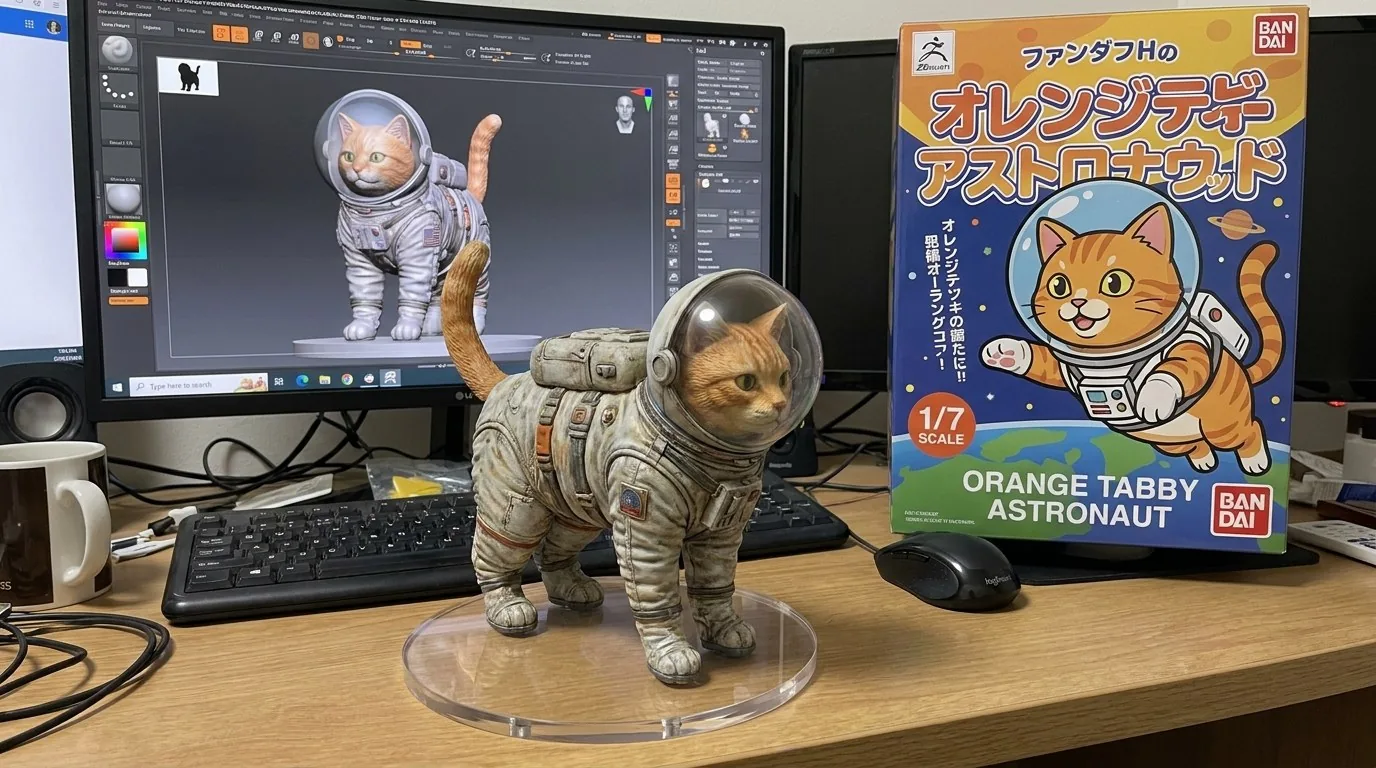 Kyncept #1: ZBrush on screen, "ORANGE TABBY ASTRONAUT" box, but weathered paint on the figurine.
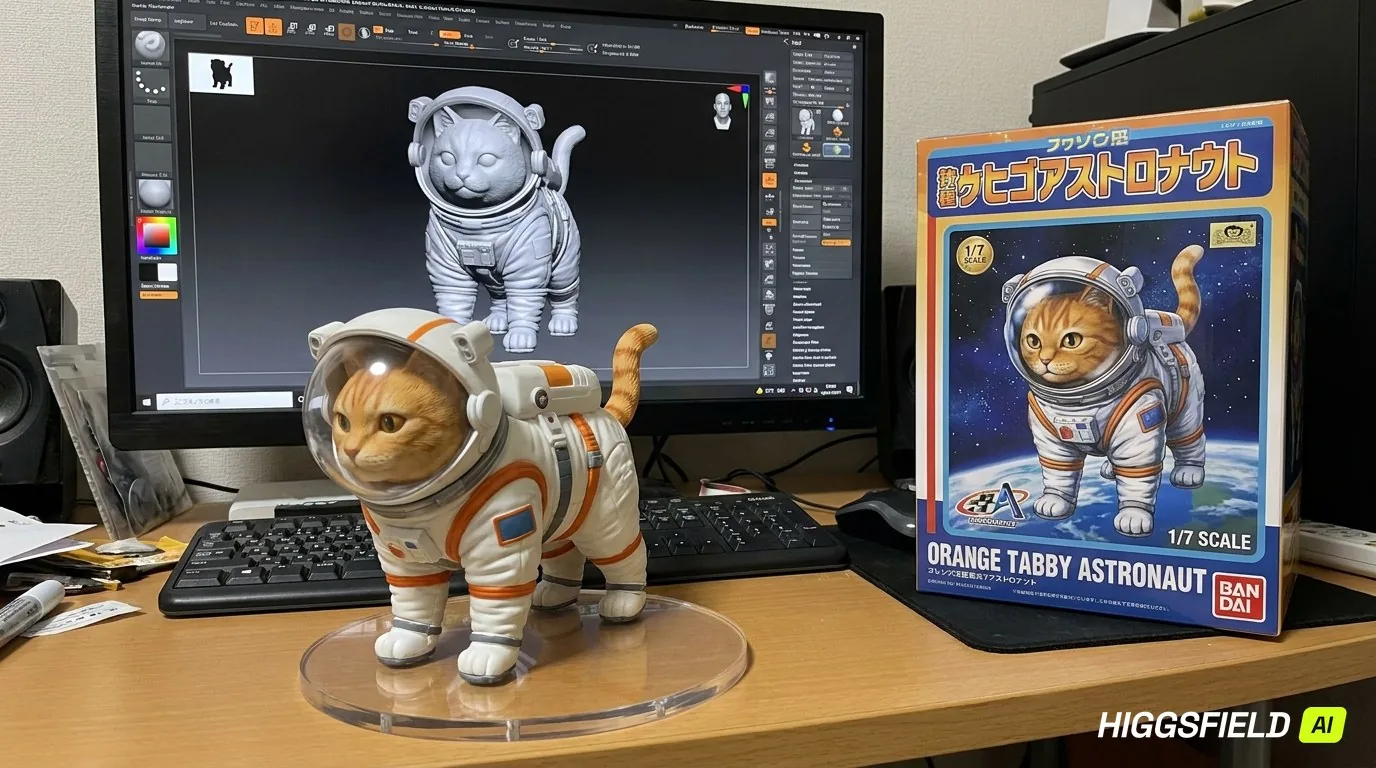 Higgsfield #2: ZBrush on screen, "ORANGE TABBY ASTRONAUT" box, watermark bottom-right.
Higgsfield #1 had cleaner, factory-like paint than Kyncept #1, whose figurine looked weathered. Higgsfield #2 and Kyncept #1 are near twins: same screen, same box title. Lay all five side by side and you cannot tell which platform produced which, except for the Higgsfield watermark.
This is the point of the whole review. Nano Banana Pro does the drawing. Higgsfield and Kyncept just send the prompt and return the file. Any quality gap in a single image is model randomness. So I scored quality 8/10 on both sides and moved on to the things the platform actually controls: credits, seconds, megabytes, and pop-ups.
Prompt adherence: ZBrush, Blender, and a misspelt box
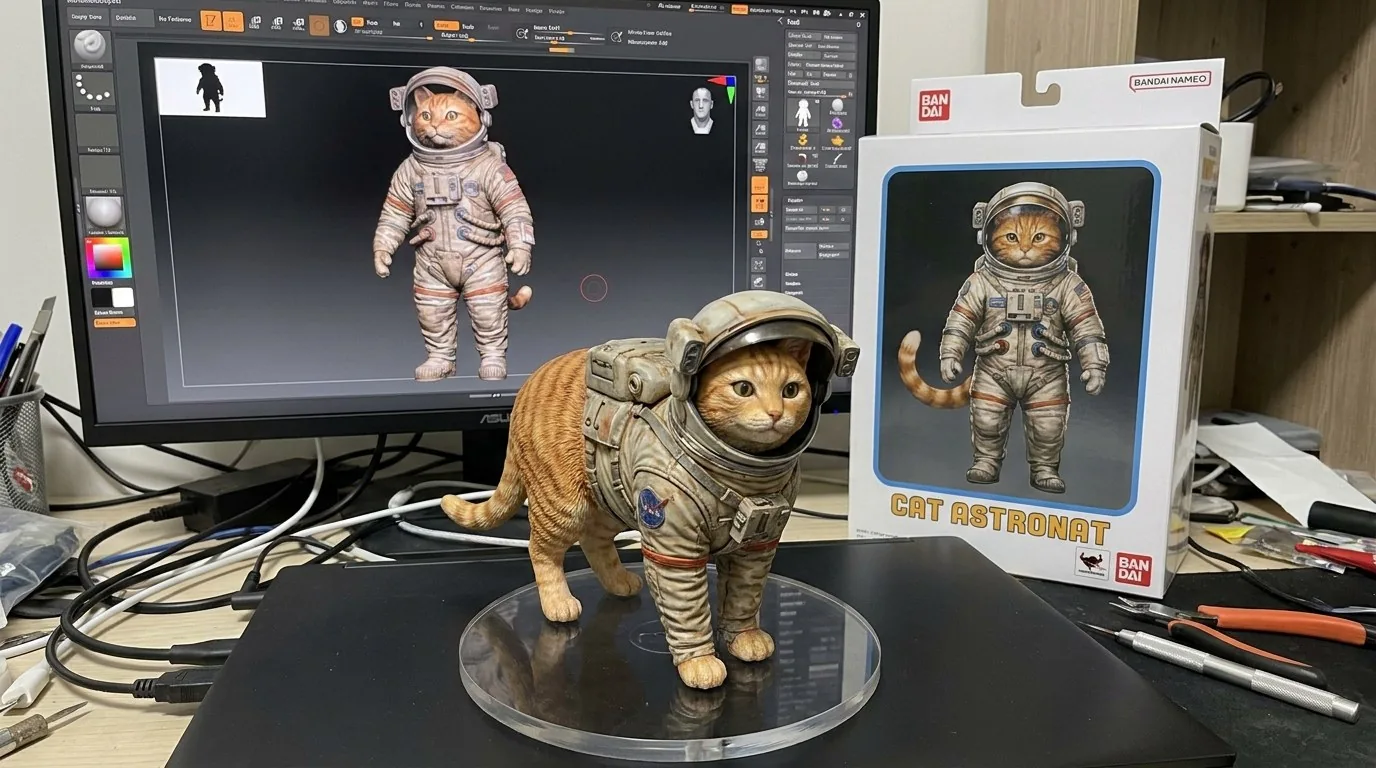 Kyncept #2: ZBrush on screen, but the box reads "CAT ASTRONAT".
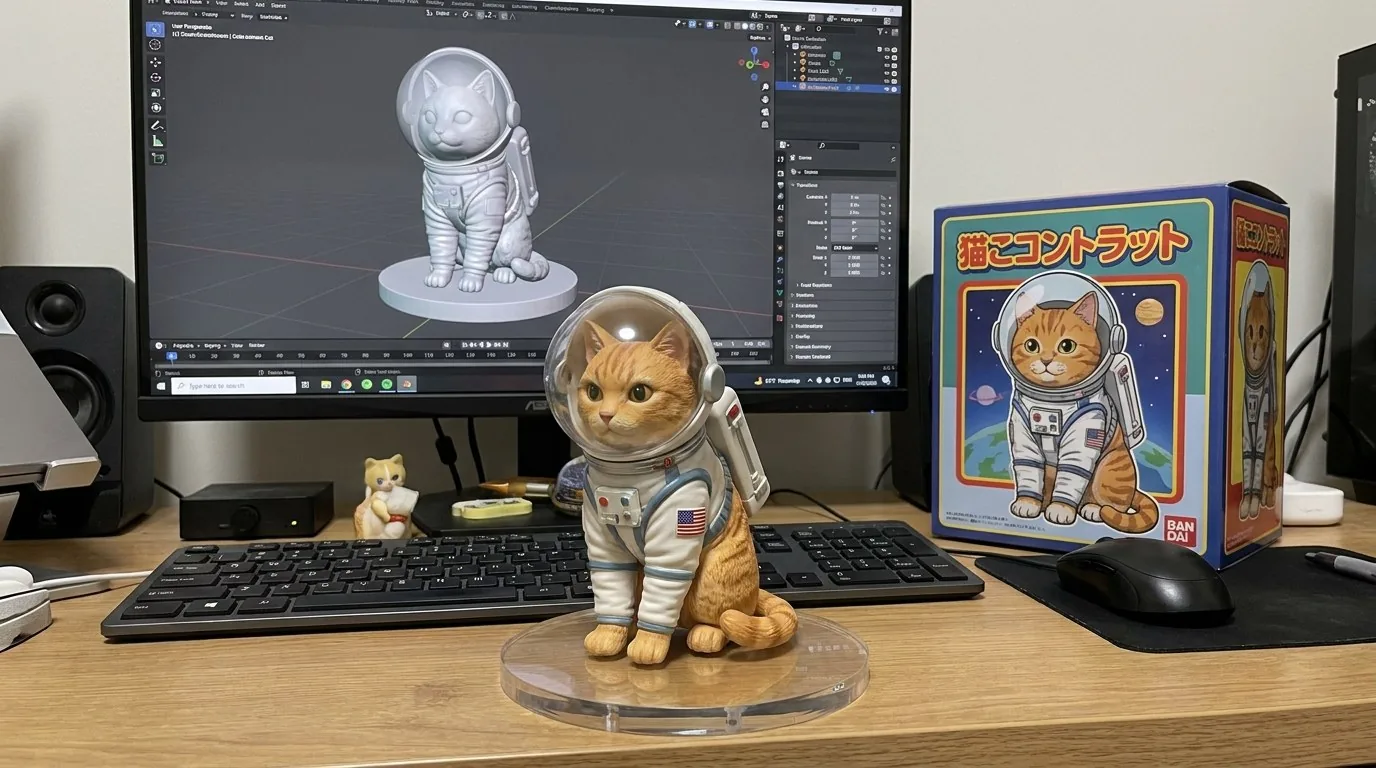 Kyncept #3: Blender instead of ZBrush, with an illustrated box.
The prompt asks for two hard details: ZBrush on the monitor and a BANDAI-style box with the original artwork. Here is the tally across all five images:
- ZBrush on screen — Higgsfield 1 of 2 · Kyncept 2 of 3 · each side produced exactly one Blender screen
- Correct box title — Higgsfield 1 of 2 ("ORANGE TABBY ASTRONAUT") · Kyncept 1 of 3 exact, 1 misspelt ("CAT ASTRONAT")
- Artwork on the box — Higgsfield #1 put a photo of the figurine instead of artwork, under an invented "SPACE CAT ODYSSEY" title
Both sides hit and both sides missed. Higgsfield invented a product name; Kyncept dropped a letter. Neither failure belongs to the platform. Adherence is a tie, and anyone who claims one wrapper makes Nano Banana Pro "follow prompts better" is selling something.
Price per image: 2 credits vs 1
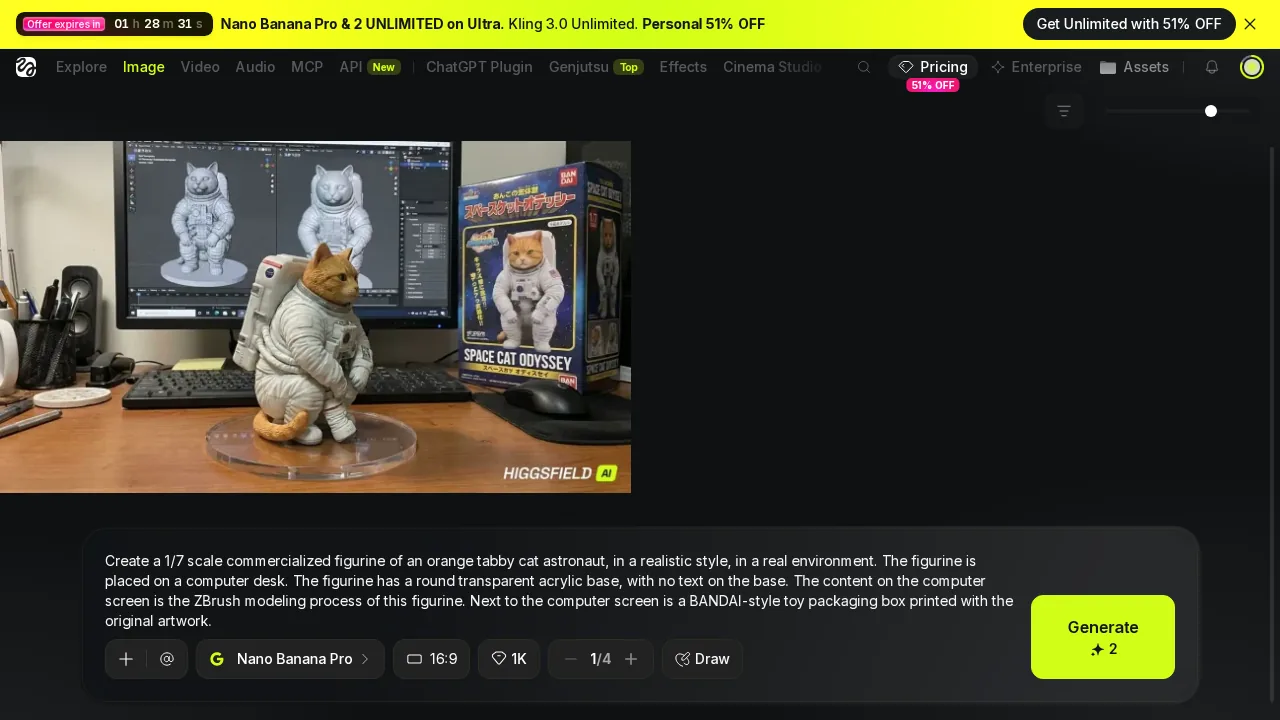 Higgsfield: Nano Banana Pro, 16:9, 1K, and a Generate button priced at 2 credits.
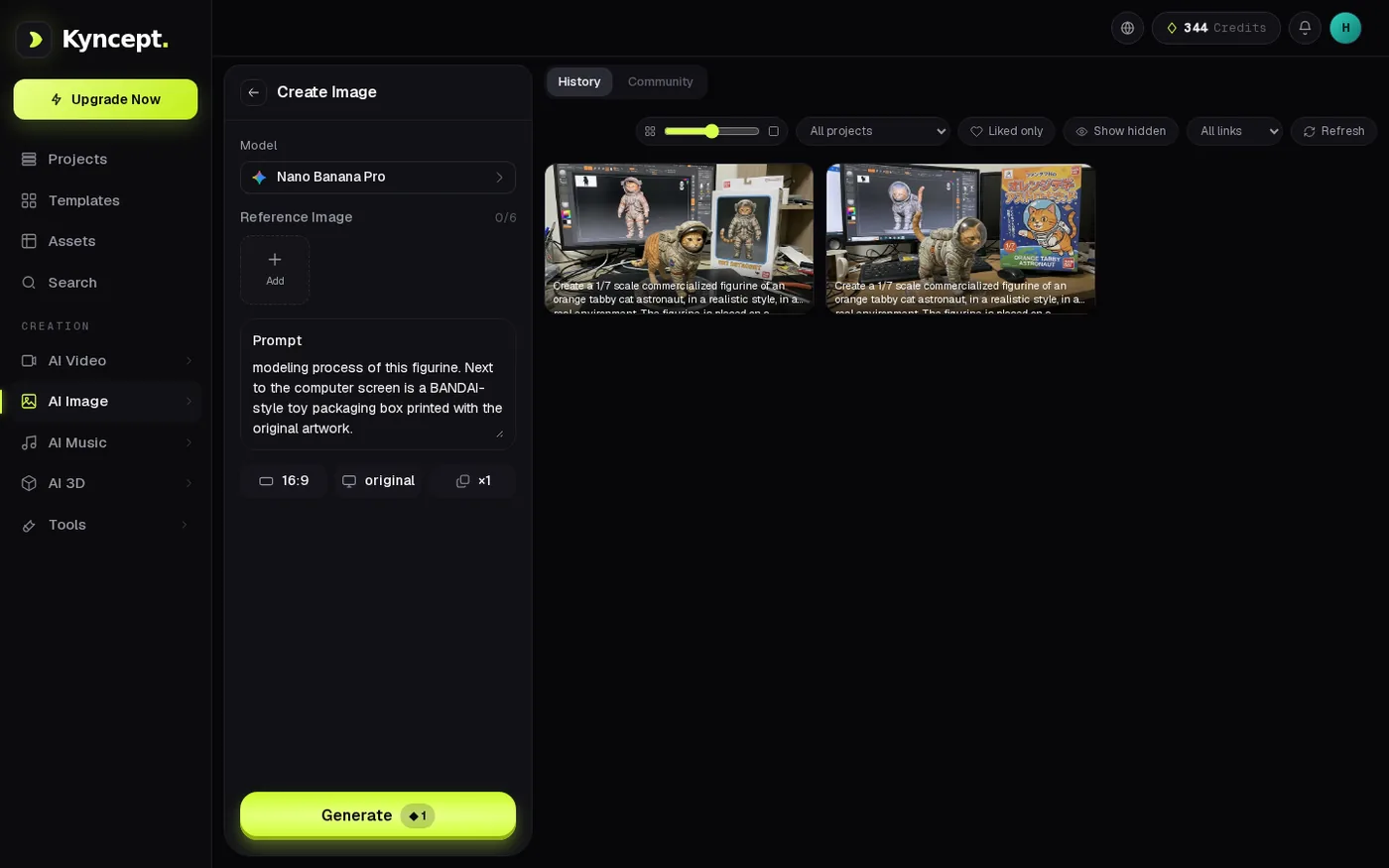 Kyncept: same model, same 16:9 prompt, Generate priced at 1 credit.
Here is where the tie ends. On Higgsfield, the free balance went 10 → 8 → 6 over two images. On Kyncept, the balance went 388 → 387 and 344 → 343. Both $59 plans buy exactly 1,200 credits, so a credit costs $0.0492 on both sides. The only variable is how many credits the platform charges for the same model.
- Credits per Nano Banana Pro image — Higgsfield 2 · Kyncept 1 · 2×
- Dollars per image on the $59 plan — Higgsfield $0.098 · Kyncept $0.049 · 2×
- Images per month on $59 — Higgsfield 600 · Kyncept 1,200 · 2×
- Credits for $19 — Higgsfield Starter 270 (annual price) · Kyncept Starter 400 · 1.48×
Same model, same pixels, twice the credits on Higgsfield. That is the headline of this review.
Speed: Higgsfield wins, and here is what it costs
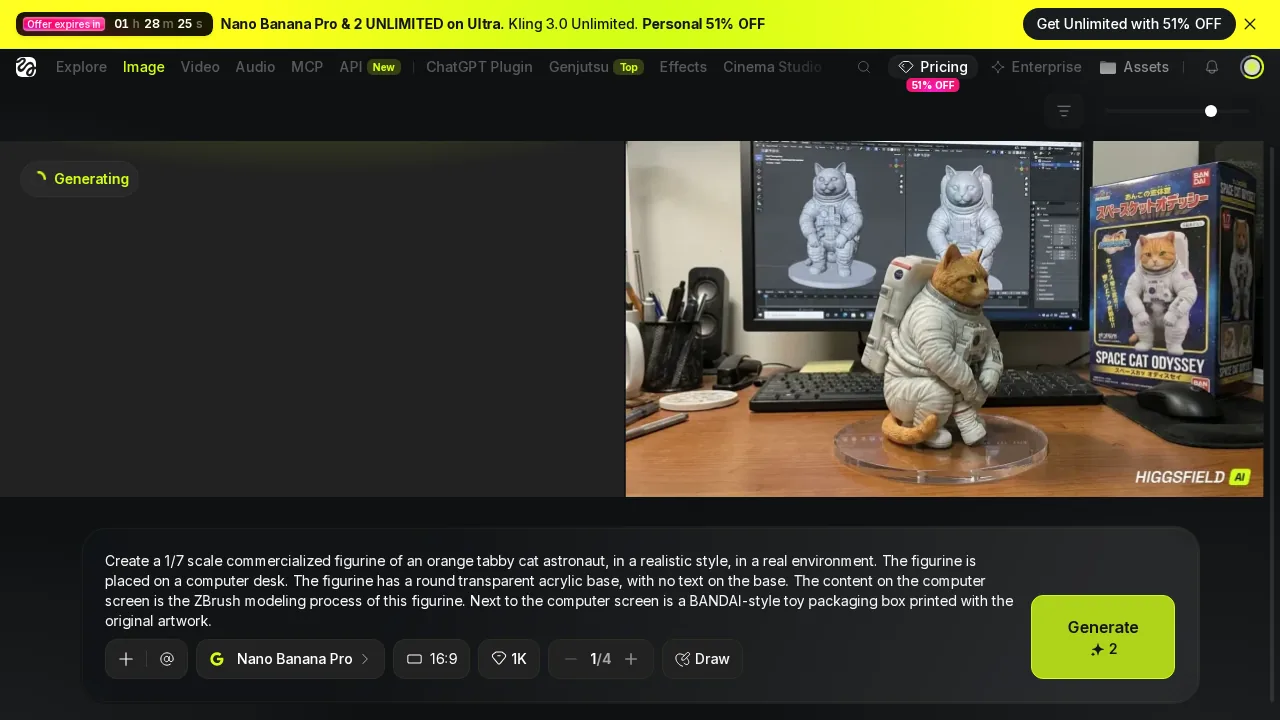 Higgsfield's "Generating" placeholder, which resolved in about 25 seconds.
I timed every run with a UI stopwatch, from clicking Generate to the image appearing. Higgsfield is clearly faster, and I won't pretend otherwise.
- Time per image — Higgsfield ~25 s (22.7–27.7 s and 25.4 s) · Kyncept 63.7 s and 91.7 s (a third run ~60 s) · Higgsfield 2.5–3.5× faster
Now price that speed. Take a figurine or merch shop that needs 300 images a month:
- Credits needed — Higgsfield 300 × 2 = 600 → Plus $59 (Starter's 270 credits cover only 135 images) · Kyncept 300 × 1 = 300 → Starter $19 · 3.1×
- Total waiting, one job after another — Higgsfield 300 × 25 s ≈ 2.1 h · Kyncept 300 × 63.7–91.7 s ≈ 5.3–7.6 h
If you can't wait, Higgsfield is faster — for $40 more a month, or $480 a year. For a shop that queues jobs and comes back later, that is a bad trade. For someone iterating live with a client on a call, Higgsfield's 25 seconds may be worth it.
The watermark baked into the file
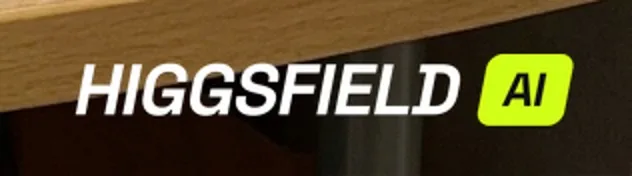 Close-up of the raw PNG from Higgsfield's CDN: "HIGGSFIELD AI" in the bottom-right corner.
I opened the original PNGs from the CDN directly. The "HIGGSFIELD AI" mark sits in the bottom-right corner of both free images. It is part of the pixels, not a page overlay that disappears on download. To use the image, you crop it or retouch it, and either way you lose part of a 1376×768 frame.
Fairness check: my Kyncept files came from a paid Pro account, and they had no watermark. I did not test Kyncept's free tier, so I make no claim about it. What I can say is that a free Higgsfield figurine is not usable as-is for a product listing, and the Higgsfield free plan is not for commercial use anyway. Kyncept's FAQ states generated content can be used commercially.
File size: 1.83 MB PNG vs 0.91 MB JPEG
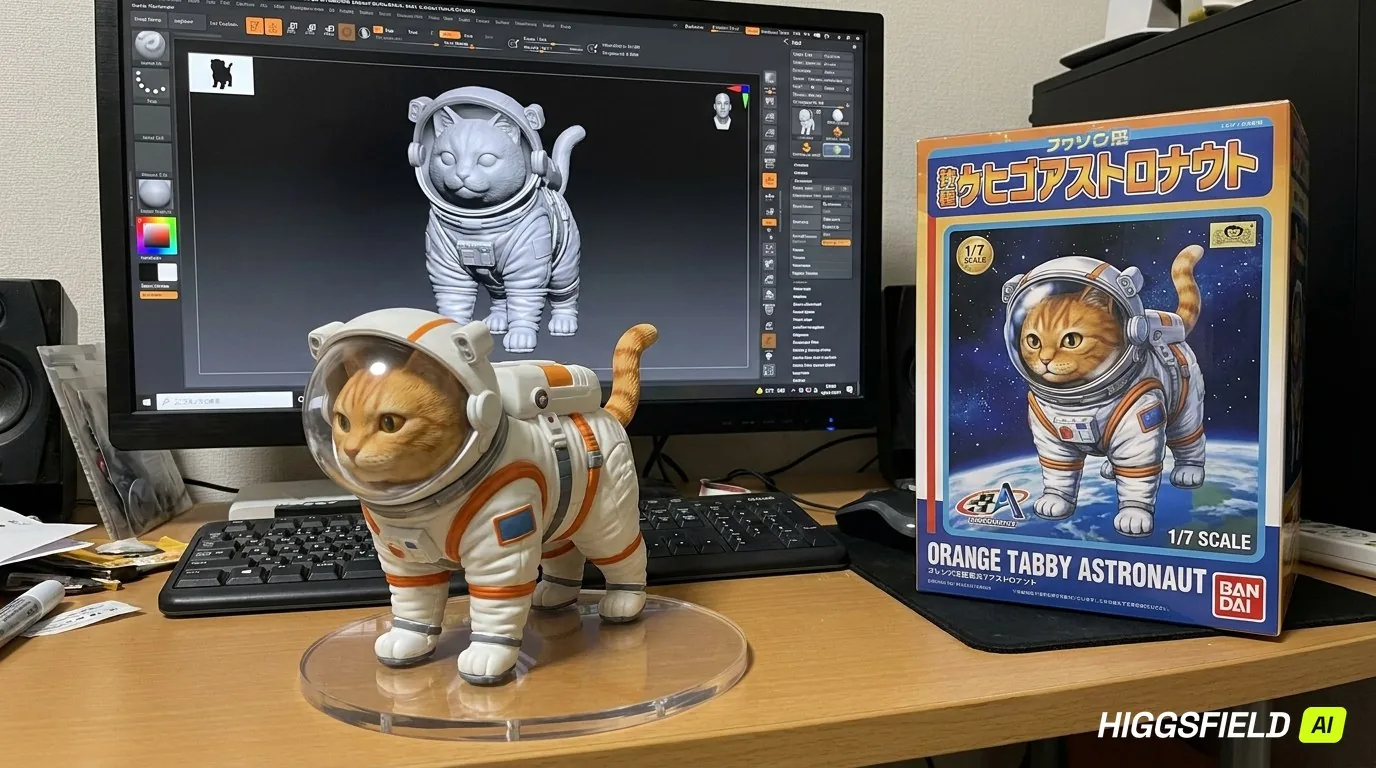 Higgsfield delivers a 1.83 MB PNG at 1376×768.
Both platforms return the same 1376×768 frame. Higgsfield ships it as a PNG, Kyncept as a JPEG.
- File size — Higgsfield 1.83 MB PNG · Kyncept 0.91 MB JPEG · Kyncept is half the bytes
- Download on 12 Mbps 4G — Higgsfield 1.22 s · Kyncept 0.60 s
- 300 images a month — Higgsfield ~549 MB · Kyncept ~273 MB
PNG is lossless, which helps for heavy edits; for a shop listing, Higgsfield just doubles the storage.
Free tier: 1K only and PREMIUM locks
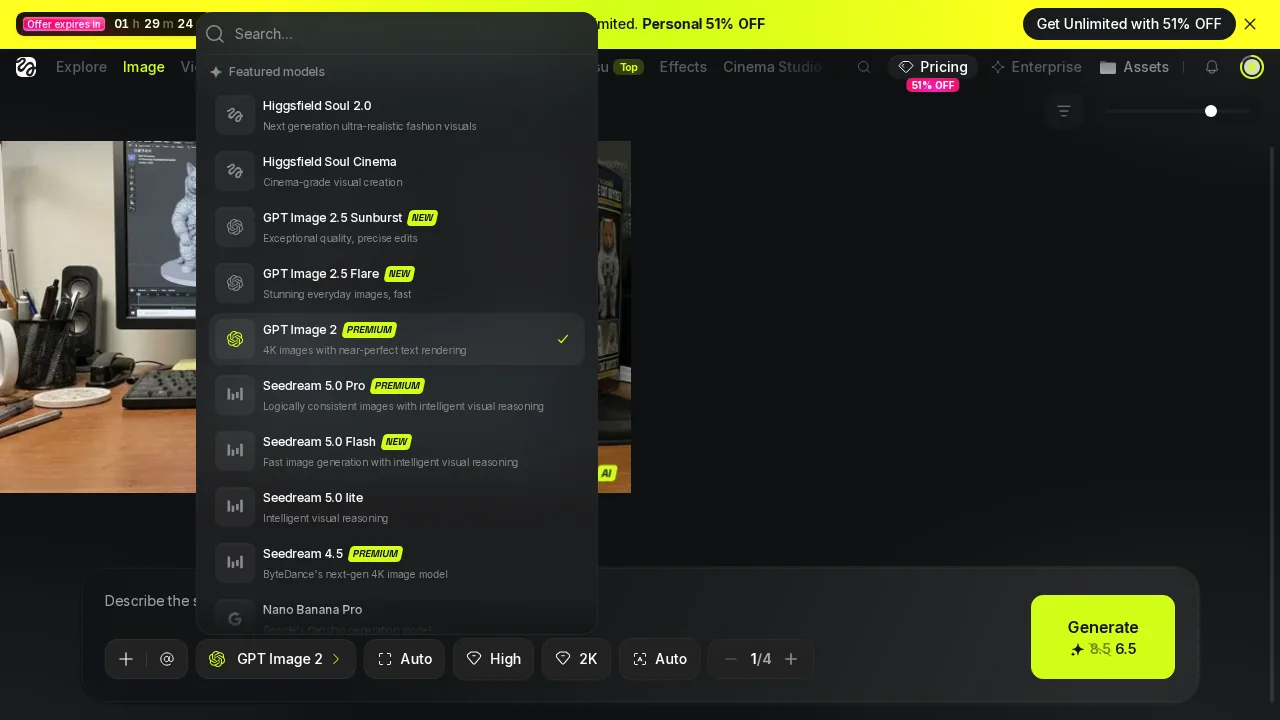 Higgsfield image model list: PREMIUM badges on many models, and the 51% OFF countdown banner above.
On a free Higgsfield account, the resolution picker stops at 1K. Many image models in the list are marked PREMIUM, so the catalogue you see is bigger than the catalogue you can use. With 10 free credits and a 2-credit Nano Banana Pro, the free tier buys exactly 5 images before the wall. Free accounts also run 1 job at a time.
I'll concede the part Higgsfield does well: the catalogue is huge, and there are 250+ camera and VFX presets.
Upsell pressure around the result
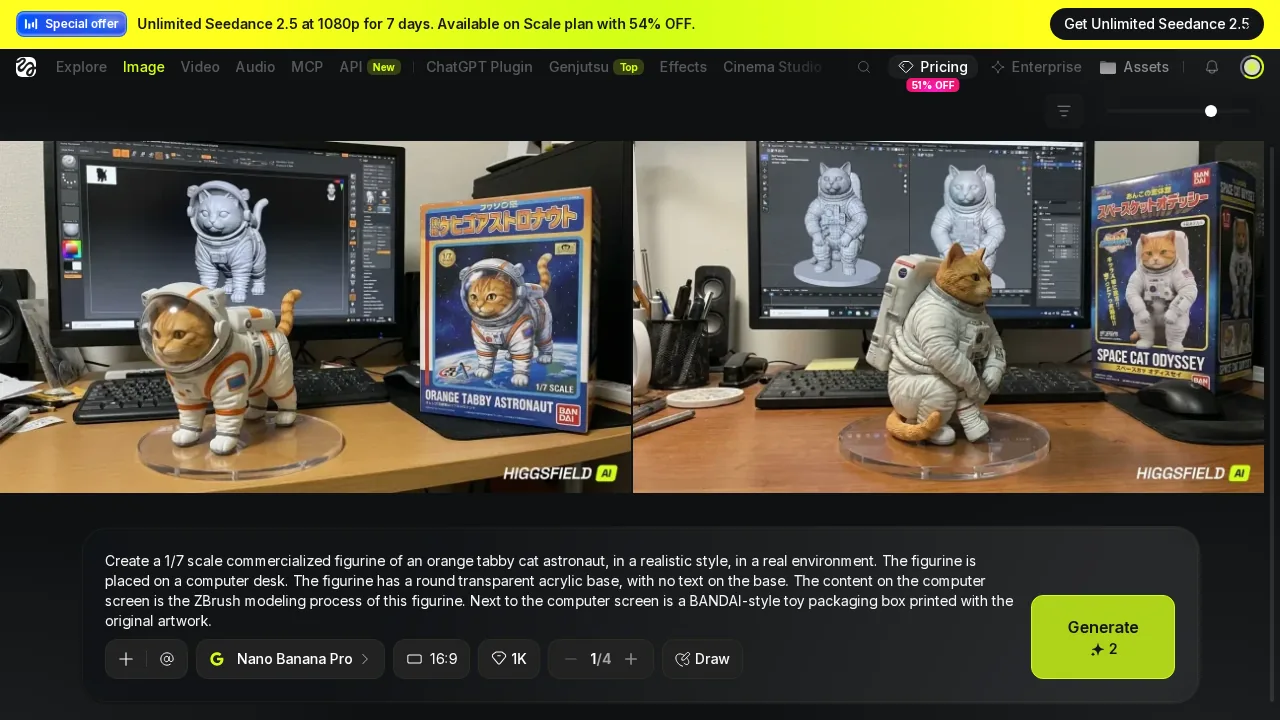 Higgsfield result page: two watermarked figurines under a Seedance 2.5 banner.
In one Higgsfield session I counted 5 kinds of upsell:
- an "Offer expires in" 51% OFF countdown banner
- a Seedance 2.5 top banner
- a Seedance 2.5 pop-up card ("UNLIMITED SEEDANCE 2.5")
- a "Credits are running low! Over 90% already used" toast while the wallet still showed 10 credits
- a full-screen UPGRADE REQUIRED modal
On Kyncept I saw 0 pop-ups during the whole flow, only a fixed "Upgrade Now" button in the sidebar, and the balance in the top bar matched every charge.
UI flow side by side
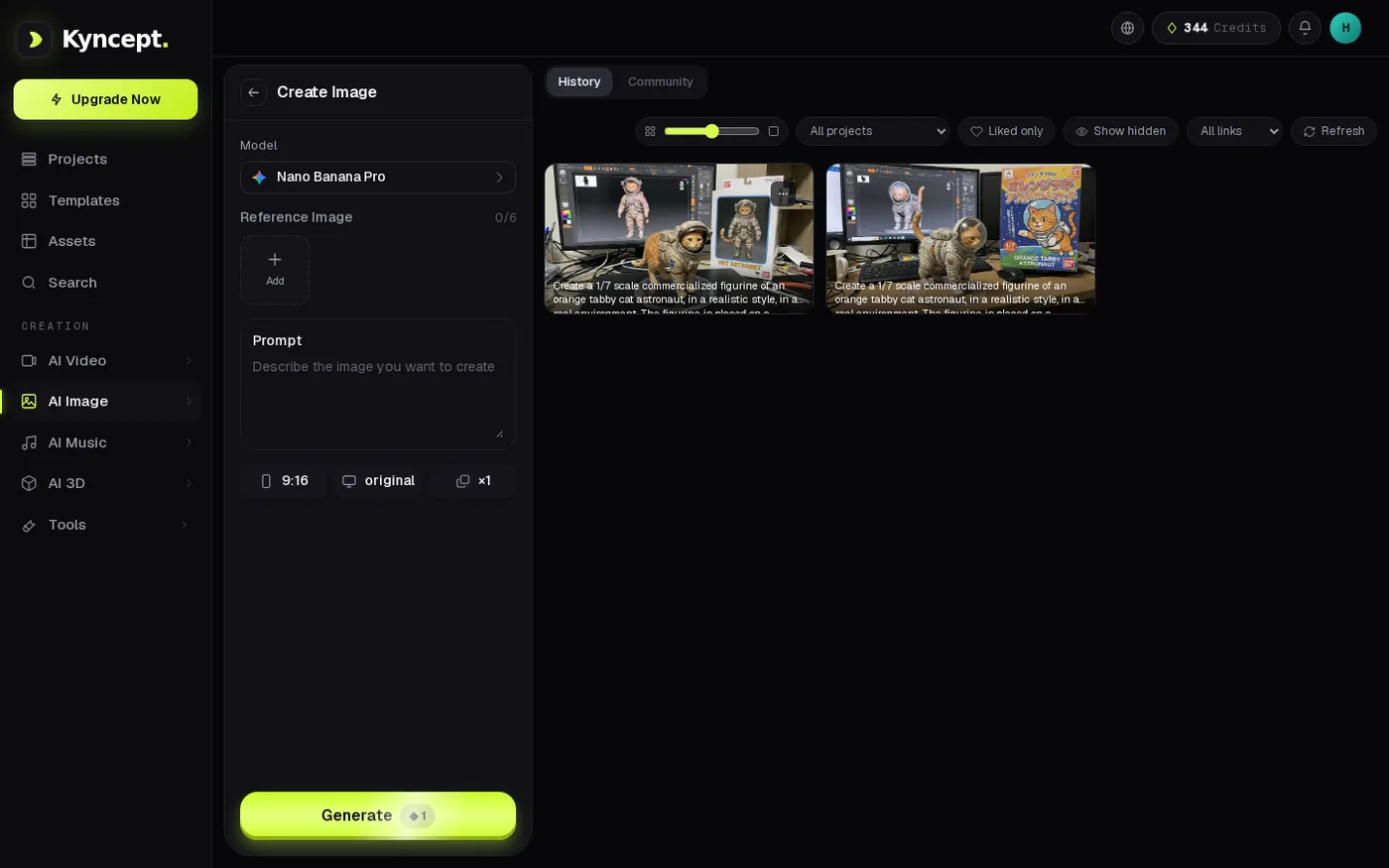 Kyncept image page: Nano Banana Pro selected, Generate priced at 1, balance 344.
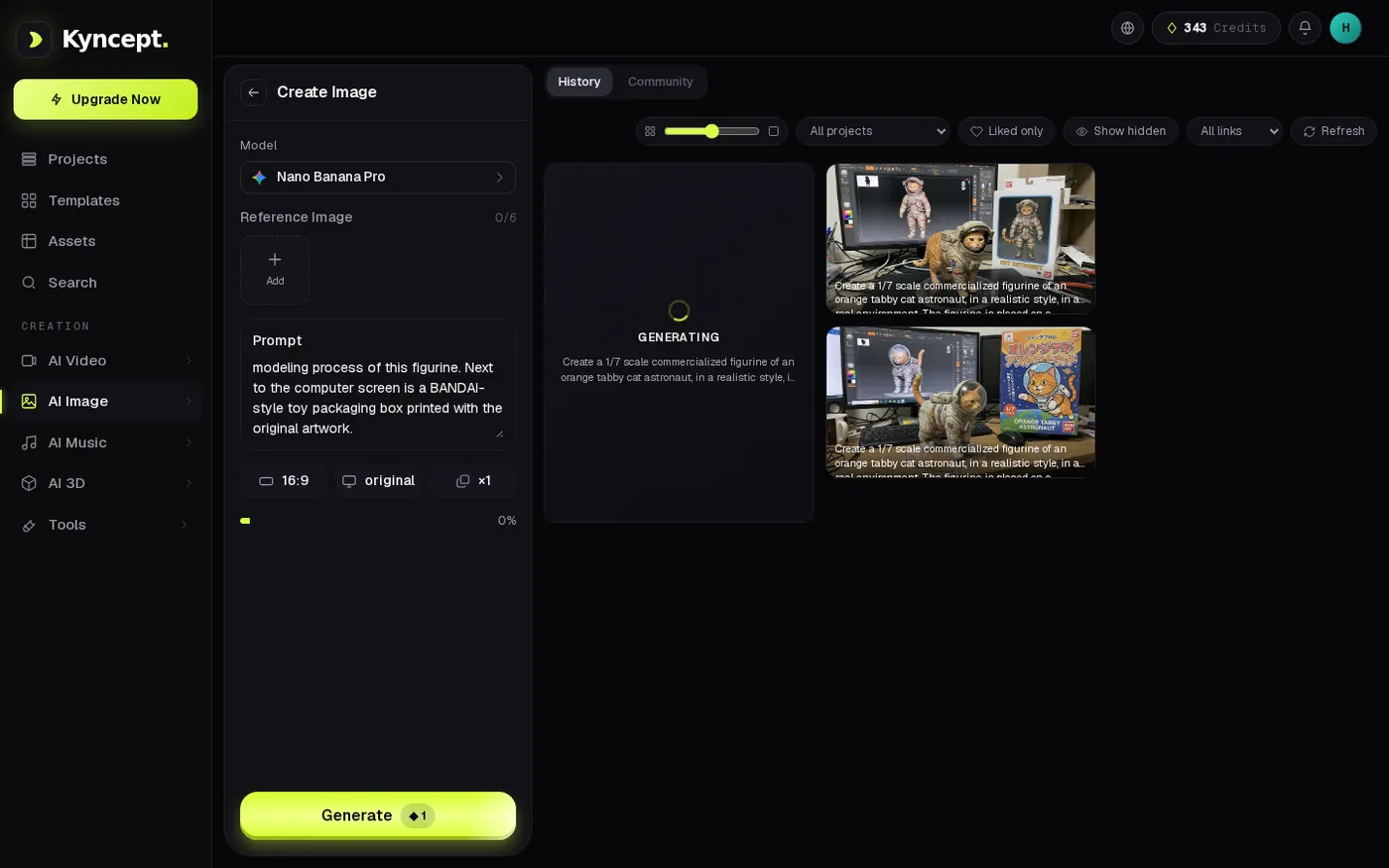 Kyncept while generating: a progress bar plus a prompt summary, balance already 343.
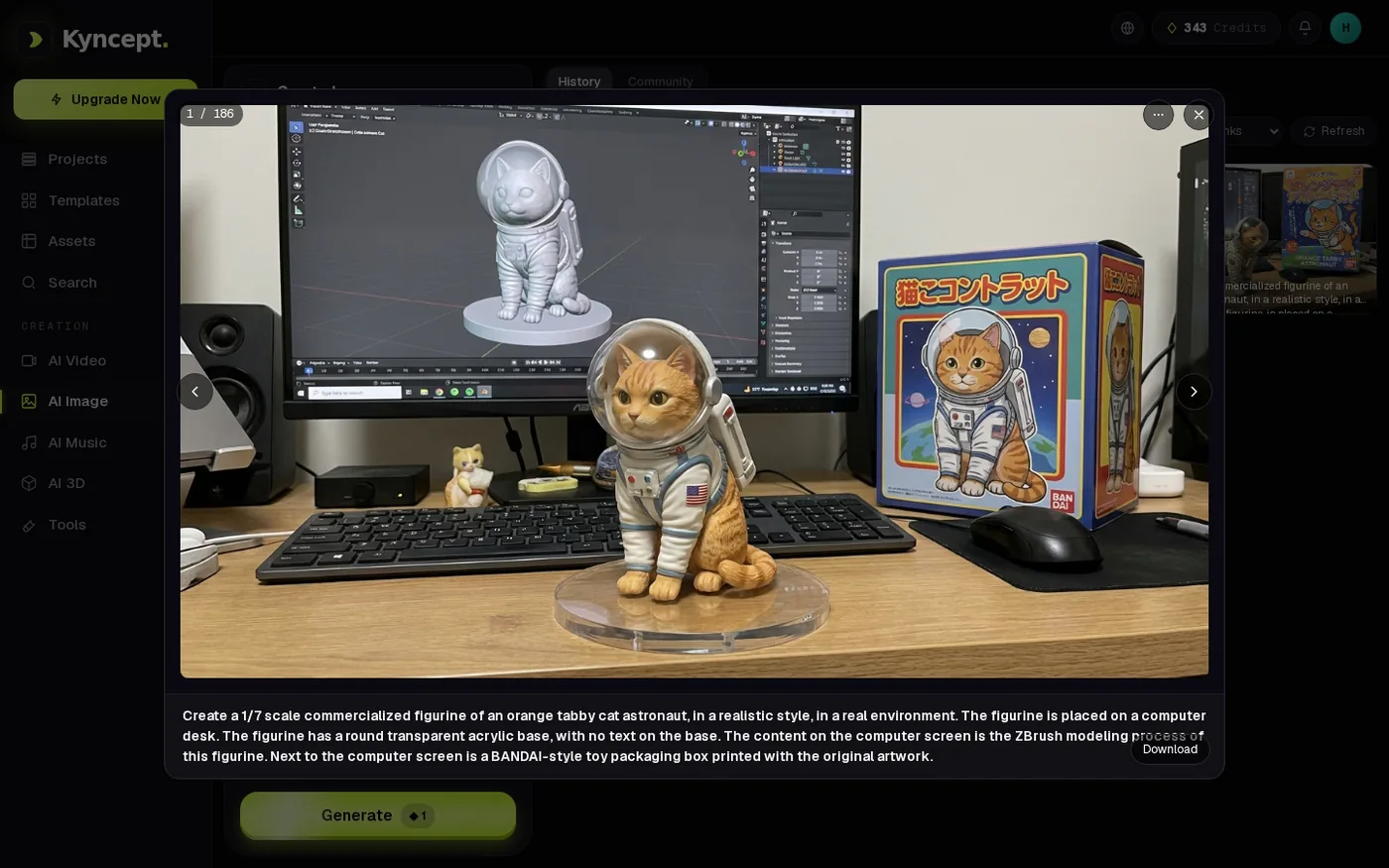 Kyncept result: preview modal with the full prompt and a Download button.
Both flows take four steps: open the model, set parameters, wait, get the result.
- Open — Higgsfield model list with PREMIUM badges and a countdown banner · Kyncept one page per model, cost on the button (1)
- Parameters — Higgsfield 16:9, 1K cap on free, Generate 2 · Kyncept 16:9, Generate 1
- Generating — Higgsfield a "Generating" placeholder with no progress, ~25 s · Kyncept a progress bar and prompt summary, 63.7–91.7 s
- Result — Higgsfield watermarked PNG between banners · Kyncept preview modal with full prompt and Download, image first in history
- Parallel jobs — Higgsfield free: 1 at a time · Kyncept image and video jobs ran at the same time
A quick word on video
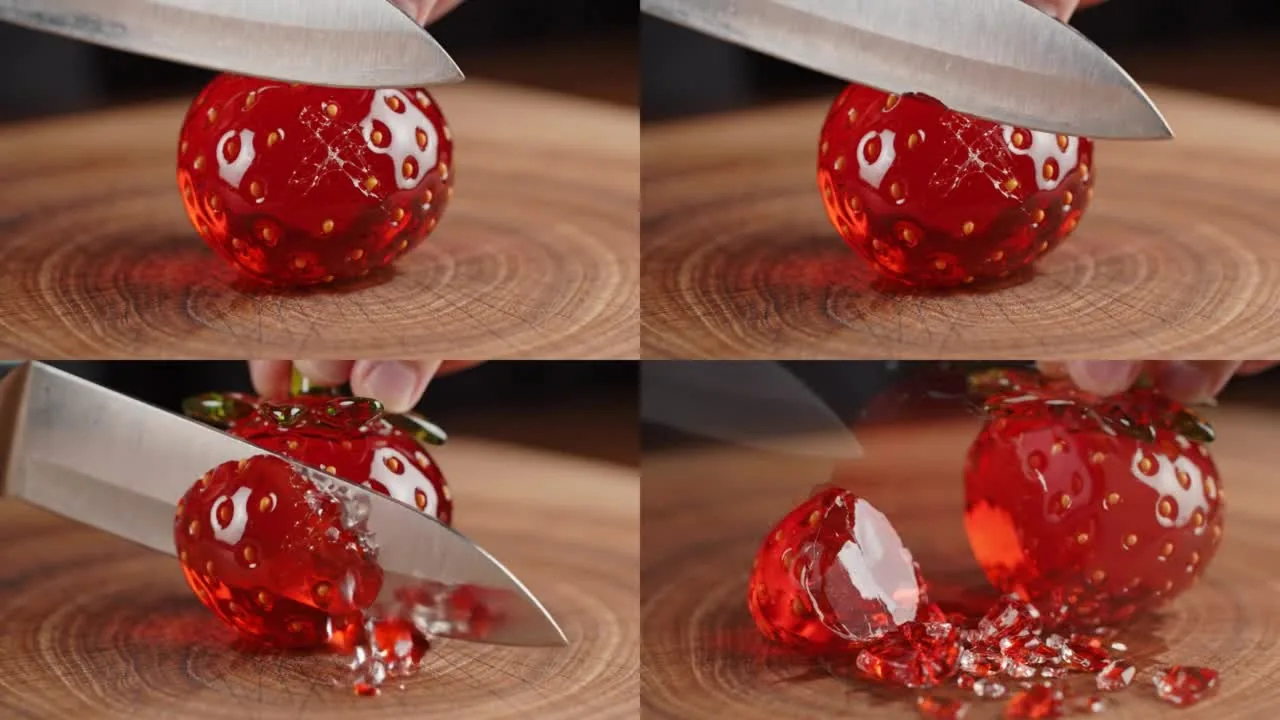 Kyncept Plus, 8 seconds with sound: knife down, crack, cut, shards.
Video is a side note here. With a prompt only, the free Higgsfield accounts produced 0 clips: Veo 3.1 (80 credits) hit an UPGRADE REQUIRED wall, Kling and Seedance demanded a start image, and Wan 2.5 Fast failed 3 out of 3. Kyncept Plus, Kyncept's own video model, returned an 8-second 1280×720 clip with sound for 10 credits in 97.7 s on the first try. Higgsfield does offer 1080p and 4K tiers; Kyncept's video is 720p with no resolution picker.
Final verdict: Higgsfield scores 60/100 for high-volume figurine images
Higgsfield runs the exact same Nano Banana Pro that Kyncept runs, returns the same 1376×768 frame, and gets the same mix of ZBrush hits, Blender misses, and box-title errors. The model decides the picture. What Higgsfield decides is the bill: 2 credits instead of 1, 600 images instead of 1,200 on $59, a watermark baked into free files, double the file size, a 1K cap and PREMIUM locks on free, and 5 kinds of upsell around the result.
Higgsfield earns its points honestly on speed: ~25 s against 63.7–91.7 s. Pick Higgsfield if you need 1080p/4K and presets and budget is no issue. For 300 images a month, that speed costs $40 extra every month.
Which one I would use for this job
For a figurine or merch shop generating hundreds of Nano Banana Pro images a month, I would use Kyncept: same model, same quality, half the credits, no pop-ups in my test, and commercial use stated in the FAQ. 300 images fit in the $19 Starter plan with 100 credits to spare. You can try the same prompt at https://kyncept.com and compare the balance before and after.
Originally published on Medium: Higgsfield AI Image Generator Review 2026: Same Model, Twice the Credits.