If you’re budgeting an ai face swap project, image and video generation costs may matter alongside the tools you choose. This review compares Higgsfield and Kyncept credit costs for images and clips with sound.
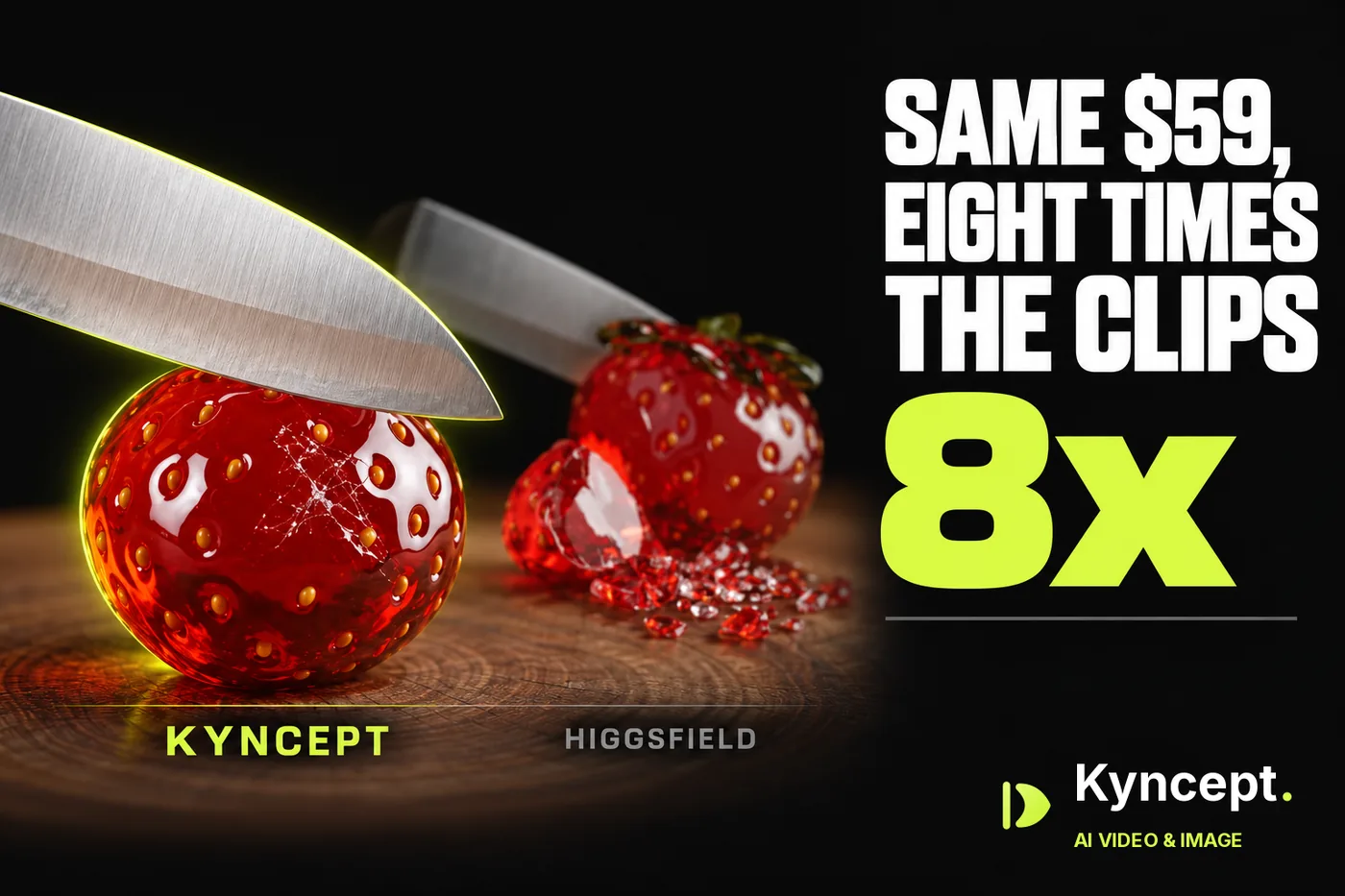
Higgsfield and Kyncept both sell a $59 monthly plan with exactly 1,200 credits, so a credit costs $0.0492 on either side. The split is in what a credit buys. One 8-second Veo 3.1 clip with sound costs 80 credits, or $3.93. On Kyncept, an 8-second clip with sound costs 10 credits, or $0.49. I ran the same prompts on both, watched the balances move, and did the math for real workloads.
Independent review: both products were run on my own accounts — Higgsfield on new free tiers, Kyncept on a paid Pro plan — with no vendor-provided access.
I tested Higgsfield (https://higgsfield.ai) on two brand-new free accounts with 10 credits each, and Kyncept (https://kyncept.com) on a paid Pro account. Both run Nano Banana Pro for images, so that comparison is one model at two prices. For video, Kyncept uses Kyncept Plus, Kyncept's own video model; the matching Higgsfield text-to-video option with sound is Veo 3.1.
Every price comes from the two pricing pages and from balance changes I saw on screen.
My verdict in 60 seconds — Higgsfield 58/100, Kyncept 90/100
Higgsfield is the faster and bigger toolbox, but it charges 2× the credits for images and 8× for video with sound, and that gap decides every monthly bill below.
- Price per clip with sound — Higgsfield 2/10 · Kyncept 9/10 — $3.93 (Veo 3.1, 80 credits) vs $0.49 (10 credits), 8×
- Price per image — Higgsfield 5/10 · Kyncept 9/10 — Nano Banana Pro at 2 credits ($0.098) vs 1 credit ($0.049)
- Credits per $19 — Higgsfield 5/10 · Kyncept 8/10 — 270 vs 400 credits, 1.48× more for the same $19
- Clips per $59 — Higgsfield 2/10 · Kyncept 9/10 — 15 Veo 3.1 clips vs 120 clips with sound
- Cost of a 30-clip month — Higgsfield 3/10 · Kyncept 9/10 — $129 (Ultra) vs $19 (Starter), 6.8×
- Cost of a 120-clip month — Higgsfield 3/10 · Kyncept 9/10 — $129 on the cheapest sound model vs $59
- Commercial rights — Higgsfield 5/10 · Kyncept 9/10 — the free plan is not for commercial use; the Kyncept FAQ allows it
- Billing transparency — Higgsfield 4/10 · Kyncept 9/10 — 5 kinds of upsell in one session vs 0 pop-ups
The concrete problems:
- Veo 3.1 costs 80 credits per clip, so the $59 Plus plan buys only 15 clips.
- The $19 Starter plan lists Veo 3.1 as "Not included".
- Higgsfield charges 2 credits for a Nano Banana Pro image that Kyncept renders for 1.
- A 30-clip month forces the $129 Ultra plan.
For short clips with sound on a fixed monthly budget, I would use Kyncept.
Same $59, same 1,200 credits, different $19 tier
Start where the two match. Higgsfield Plus is $59 a month for 1,200 credits. Kyncept Pro is $59 a month for 1,200 credits. $59 / 1,200 = $0.0492 per credit on both. Every gap below comes from how many credits each tool charges per job, not from the plan price.
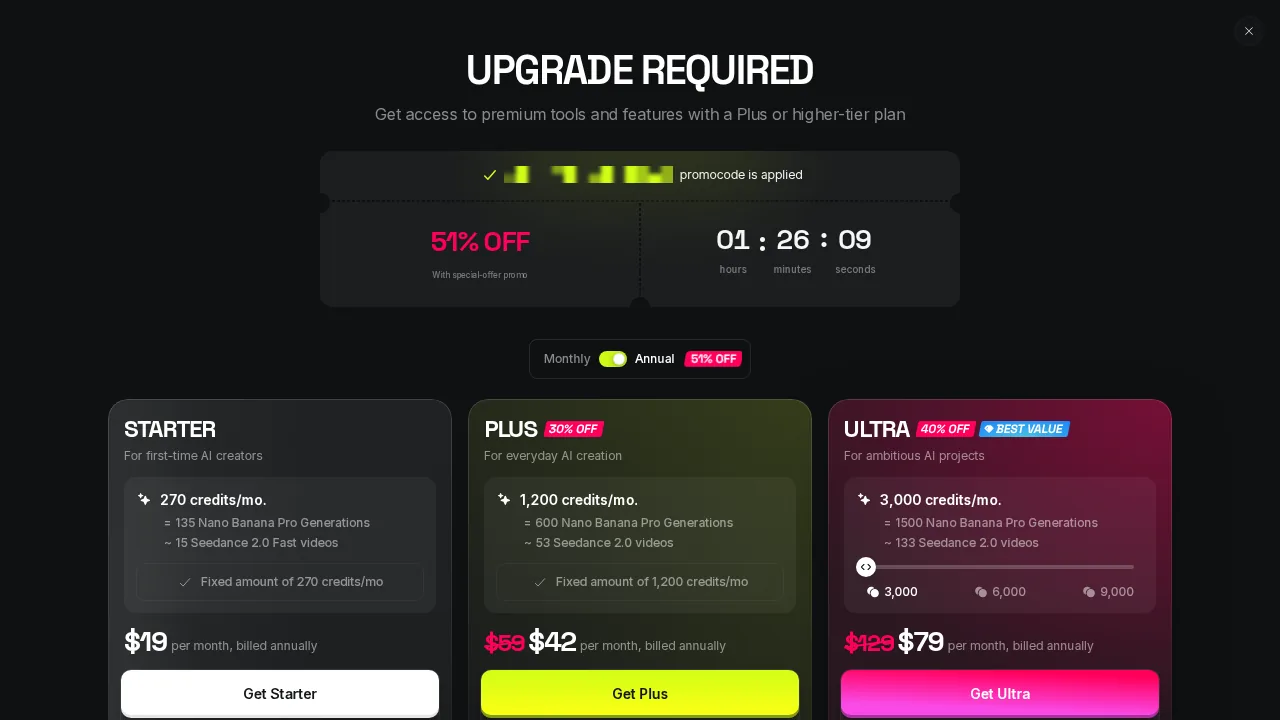 The upgrade screen: Starter $19 for 270 credits, Plus $42 and Ultra $79 a month billed annually, with a 51% OFF countdown.
The entry tier is where Higgsfield falls behind. Higgsfield Starter is $19 for 270 credits (annual price). Kyncept Starter is $19 for 400 credits: 1.48× more, or 130 extra credits a month.
The bigger catch: the Starter column in the Higgsfield plan comparison lists Veo 3.1 as "Not included". The $19 buyer cannot make the Veo 3.1 clip at any credit price. At the top, Higgsfield Ultra is $129 a month for 3,000 credits. Annual billing brings Plus to $42 and Ultra to $79 a month, but the credit cost per clip stays the same.
One 8-second clip with sound: $3.93 vs $0.49
I used the same "glass fruit ASMR" prompt on both: a chef's knife slicing a glass strawberry, crisp crackling glass sounds, no music.
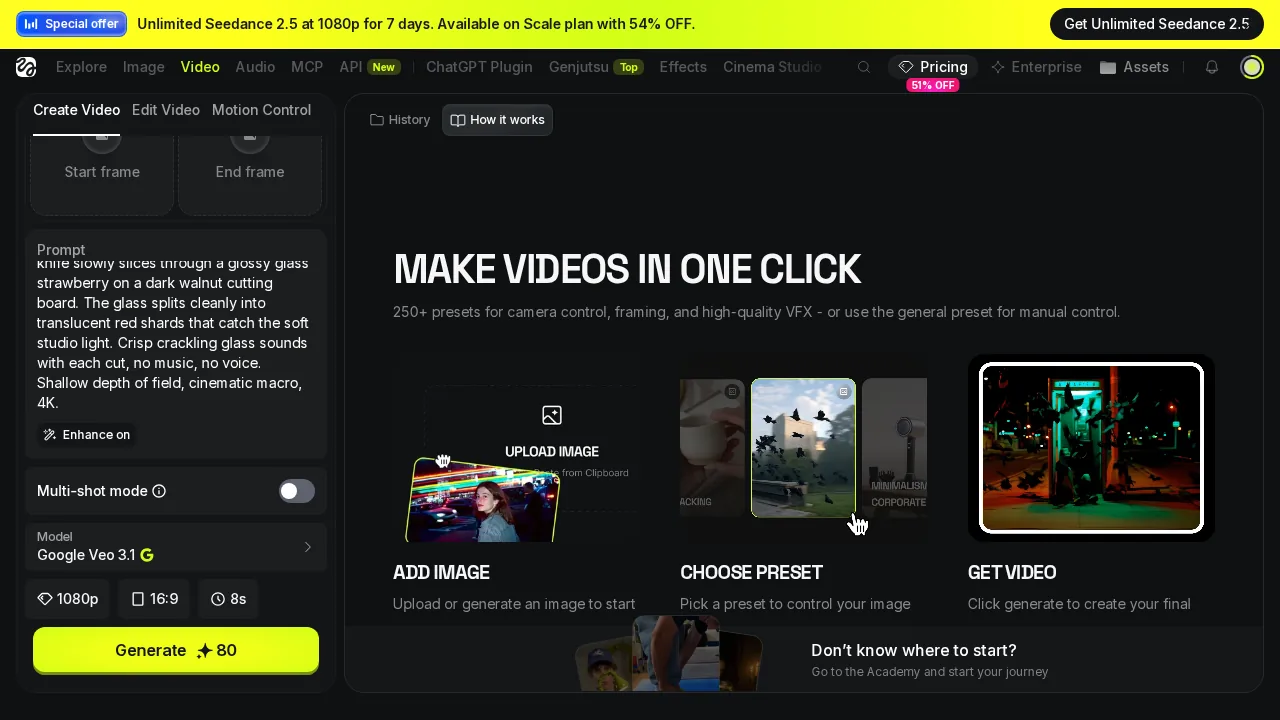 Higgsfield Veo 3.1 at 1080p, 8 seconds: Generate reads 80 credits, and "Enhance on" is on by default.
- Price per 8-second clip with sound — Higgsfield $3.93 (Veo 3.1, 80 credits) · Kyncept $0.49 (10 credits) · 8×
- Clips per $59 plan — Higgsfield 15 · Kyncept 120 · 8×
- Resolution — Higgsfield 720p or 1080p at 80 credits, 4K at 120 · Kyncept 720p, no picker
At $0.0492 per credit, 80 credits is $3.93, so Plus yields 1,200 / 80 = 15 clips a month. It also turns "Enhance on" by default for video, which rewrites your prompt; I switched it off. Kyncept sent my prompt verbatim.
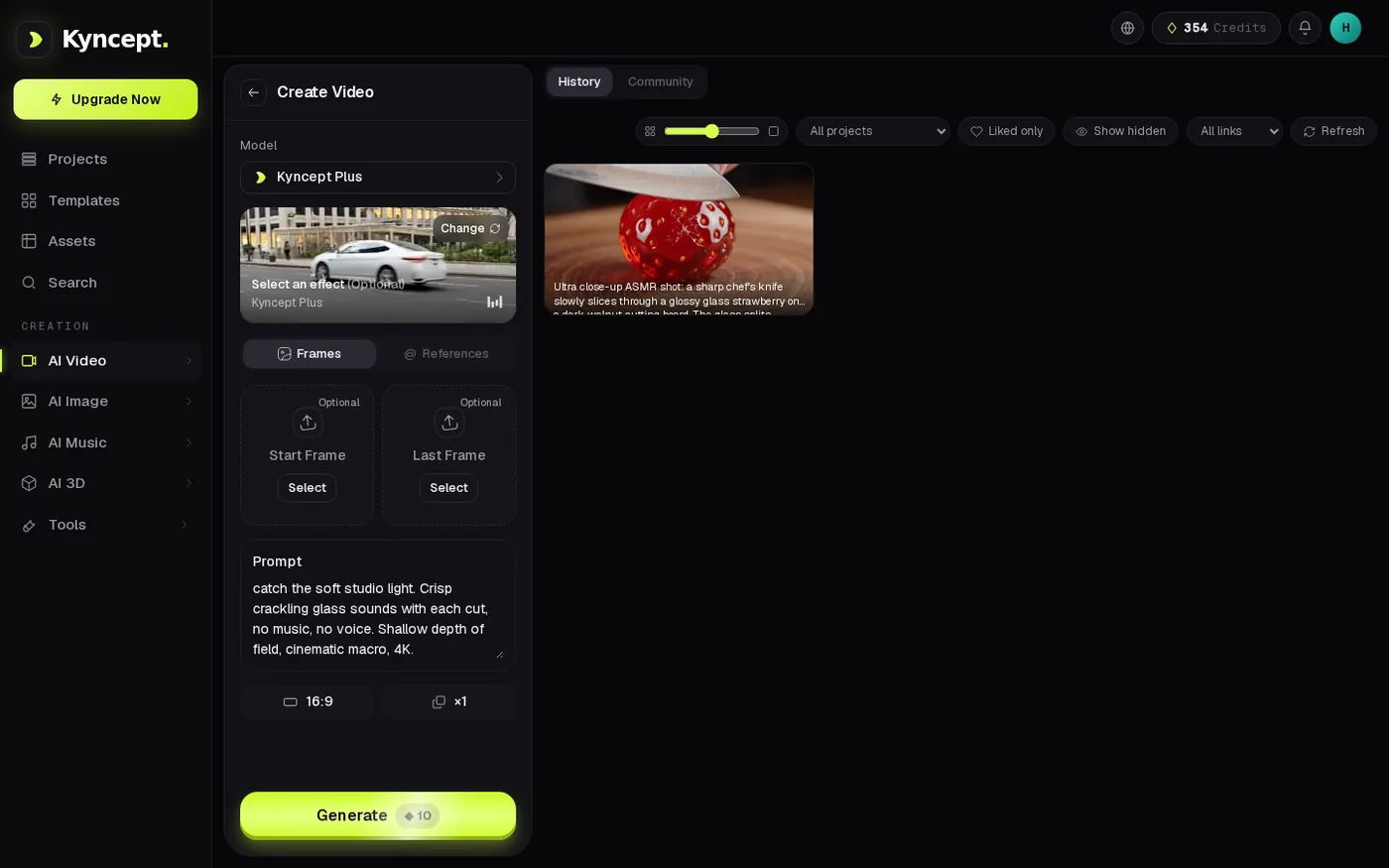 Kyncept Plus with the same prompt at 16:9: Generate reads 10 credits.
Kyncept charged 10 credits, $0.49. On the $59 plan that is 1,200 / 10 = 120 clips a month. The UI stopwatch showed 97.7 s, first try, 0 failures. The downloaded file: 8.0 s, 1280×720, 24 fps, H.264, 2.29 MB, AAC stereo at 48 kHz, audio peak −1.0 dB. The glass crack is audible.
 Four frames from the Kyncept clip: knife down, crack, cut, shards. All four actions from the prompt.
The fair concession: Higgsfield sells 1080p and 4K tiers; Kyncept outputs 720p only. If you deliver 1080p or 4K, Higgsfield has an option Kyncept lacks. You pay $3.93 per clip for it, and $5.90 at 4K (120 credits).
Per second with sound: 2.0 vs 1.25 credits
Veo 3.1 is the premium option, so I also checked the cheapest Higgsfield model with sound: Kling 2.6 with sound, roughly 10 credits per 5 seconds, about 2.0 credits per second, on paid plans only.
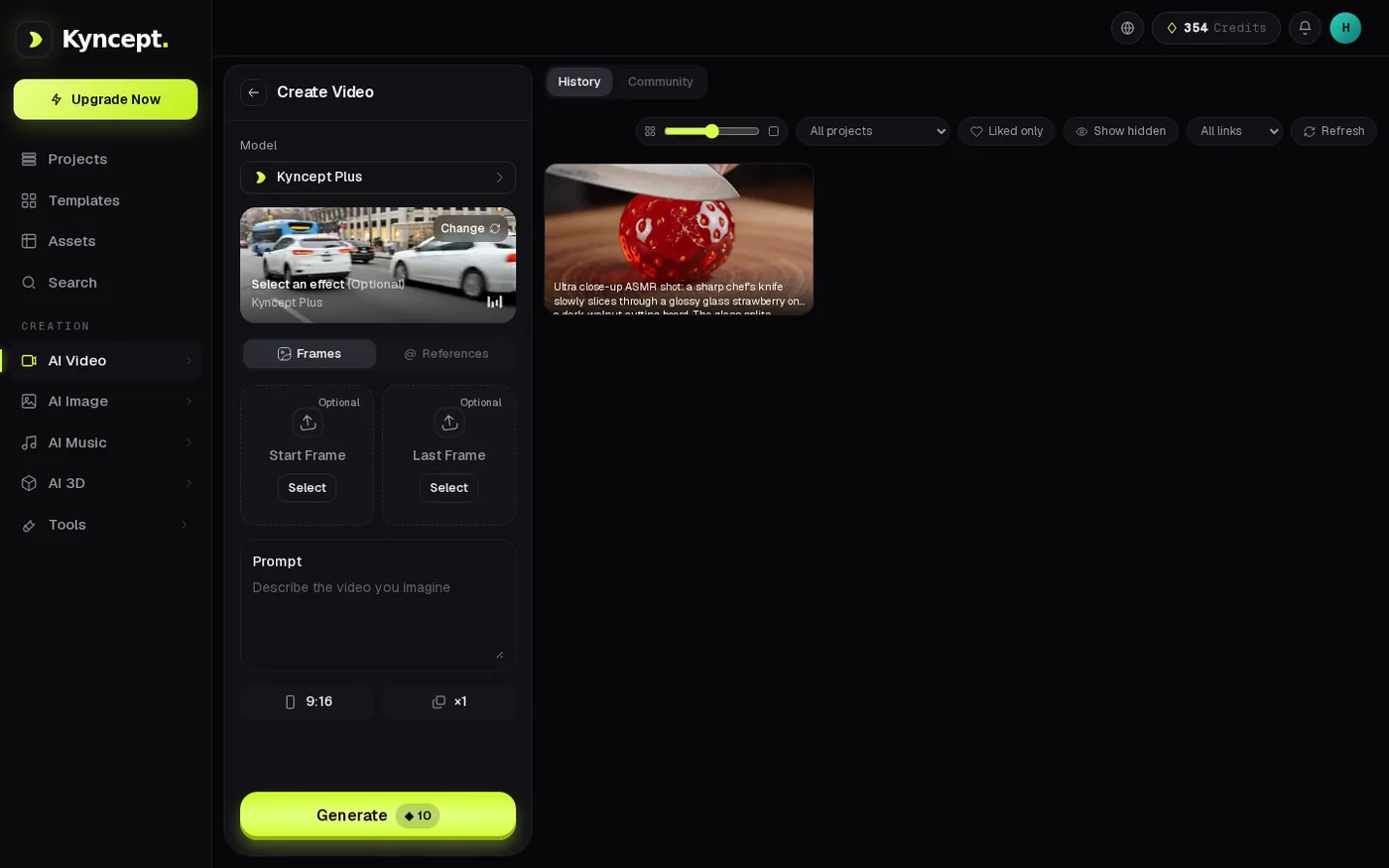 Kyncept Plus video page: start and end frames both Optional, Generate costs 10 credits.
- Credits per second, cheapest sound option — Higgsfield 2.0 (Kling 2.6) · Kyncept 1.25 (10 / 8 s) · 1.6×
- Credits per second, Veo 3.1 — Higgsfield 10.0 (80 / 8 s) · Kyncept 1.25 · 8×
- Dollars per second, cheapest sound option — Higgsfield $0.098 · Kyncept $0.061
Even on the cheapest Higgsfield sound model, Kyncept costs 1.6× less per second. Against Veo 3.1, the model that matches the job, the gap is 8×.
Images: same Nano Banana Pro, double the credits
Both ran Nano Banana Pro on the viral "1/7 scale figurine" prompt: an orange tabby cat astronaut figurine on a desk, a ZBrush screen behind it, a BANDAI-style box beside it.
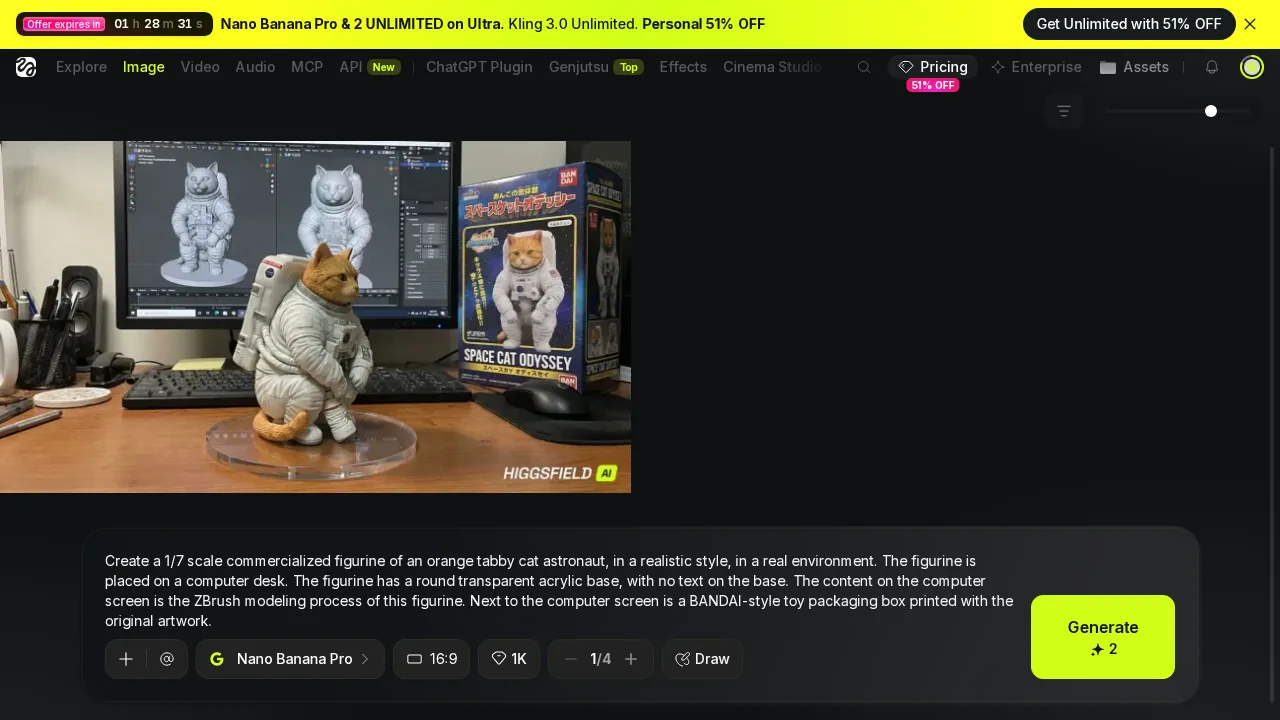 Higgsfield with Nano Banana Pro at 16:9 and 1K: Generate costs 2 credits.
- Price per image — Higgsfield $0.098 (2 credits) · Kyncept $0.049 (1 credit) · 2×
- Images per $59 — Higgsfield 600 · Kyncept 1,200 · 2×
- Output — Higgsfield 1376×768 PNG, 1.83 MB · Kyncept 1376×768 JPEG, 0.91 MB
- Speed (UI stopwatch) — Higgsfield ~25 s · Kyncept 63.7 s and 91.7 s
Across five images, the screen showed ZBrush as asked in 2 of 3 Kyncept images and 1 of 2 Higgsfield images; each side produced one Blender screen. Higgsfield #1 invented a "SPACE CAT ODYSSEY" box with a photo instead of artwork. Kyncept #2 misspelt the box as "CAT ASTRONAT". Higgsfield #1 had cleaner factory-like paint; Kyncept #1 came out weathered. Quality is a tie.
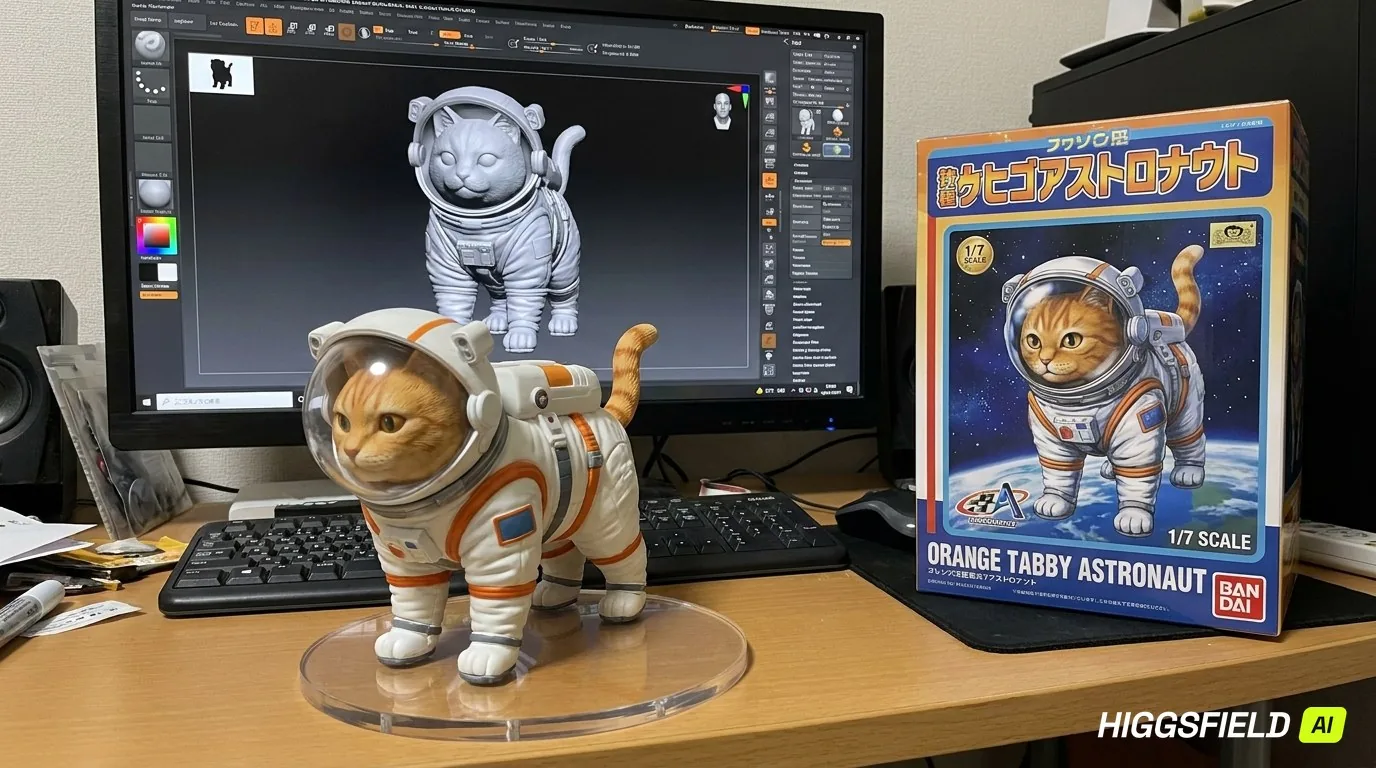 Higgsfield #2: ZBrush on screen, ORANGE TABBY ASTRONAUT box, watermark in the corner of the free file.
 Kyncept #1: ZBrush on screen, ORANGE TABBY ASTRONAUT box, weathered paint.
You get the same picture quality for half the credits. The Kyncept JPEG is also half the bytes, which loads in 0.60 s instead of 1.22 s on 12 Mbps 4G.
The balance screenshots are the receipts
Pricing pages can be vague. A balance that moves is not. I captured the wallet before and after each charge.
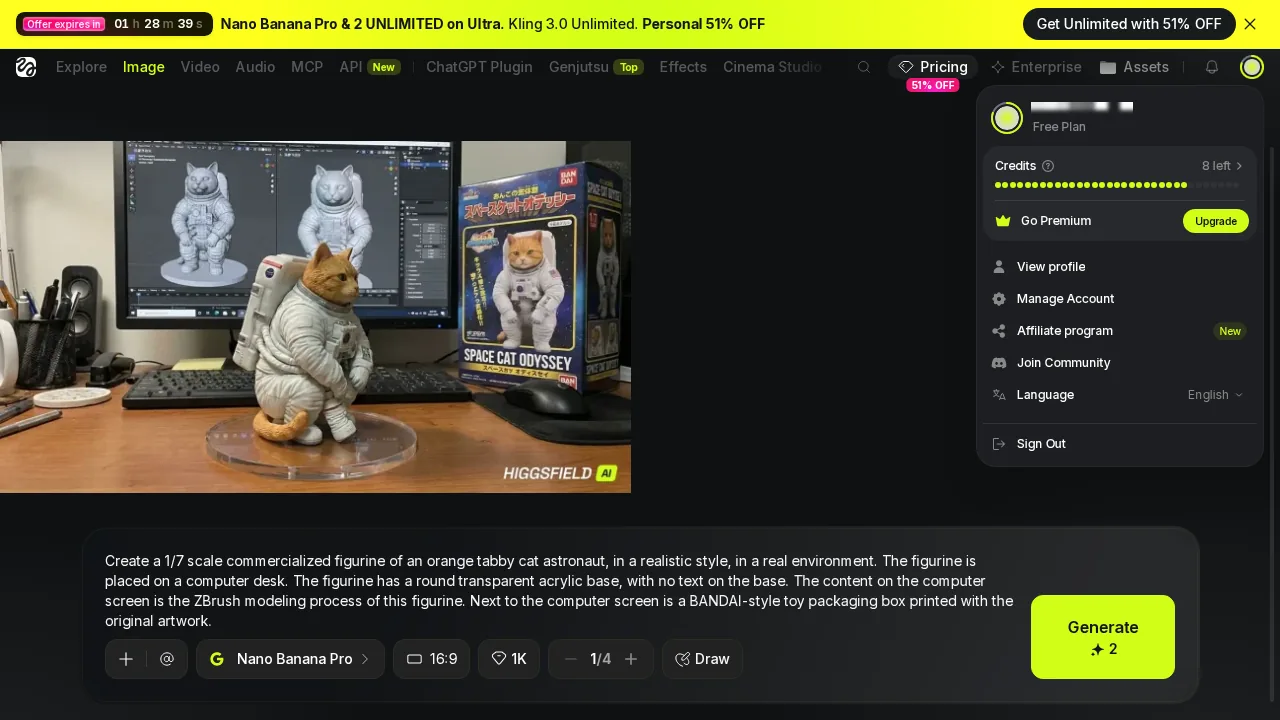 Higgsfield account menu on the Free Plan: 8 credits left after the first image.
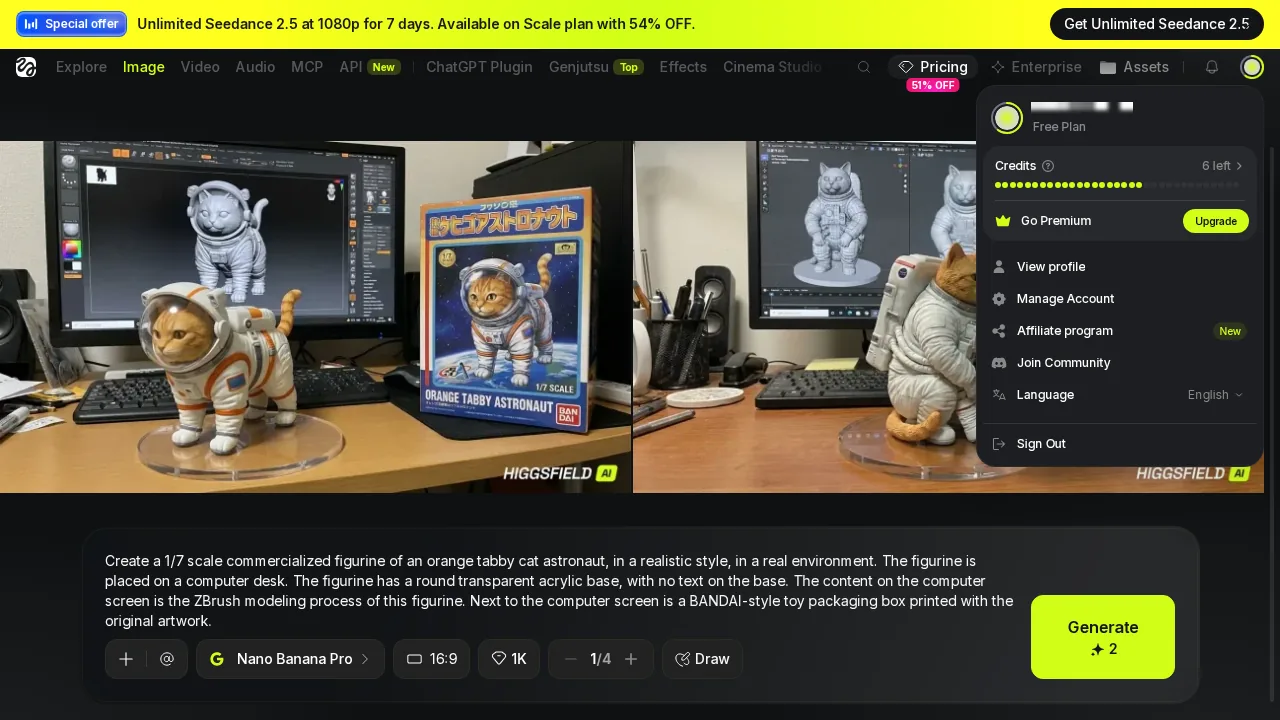 Higgsfield account menu after the second image: 6 credits left.
Higgsfield went 10 → 8 → 6 across two Nano Banana Pro images, 2 credits each. Kyncept went 388 → 387 on one image and 344 → 343 on another, 1 credit each, and dropped by 10 for the video.
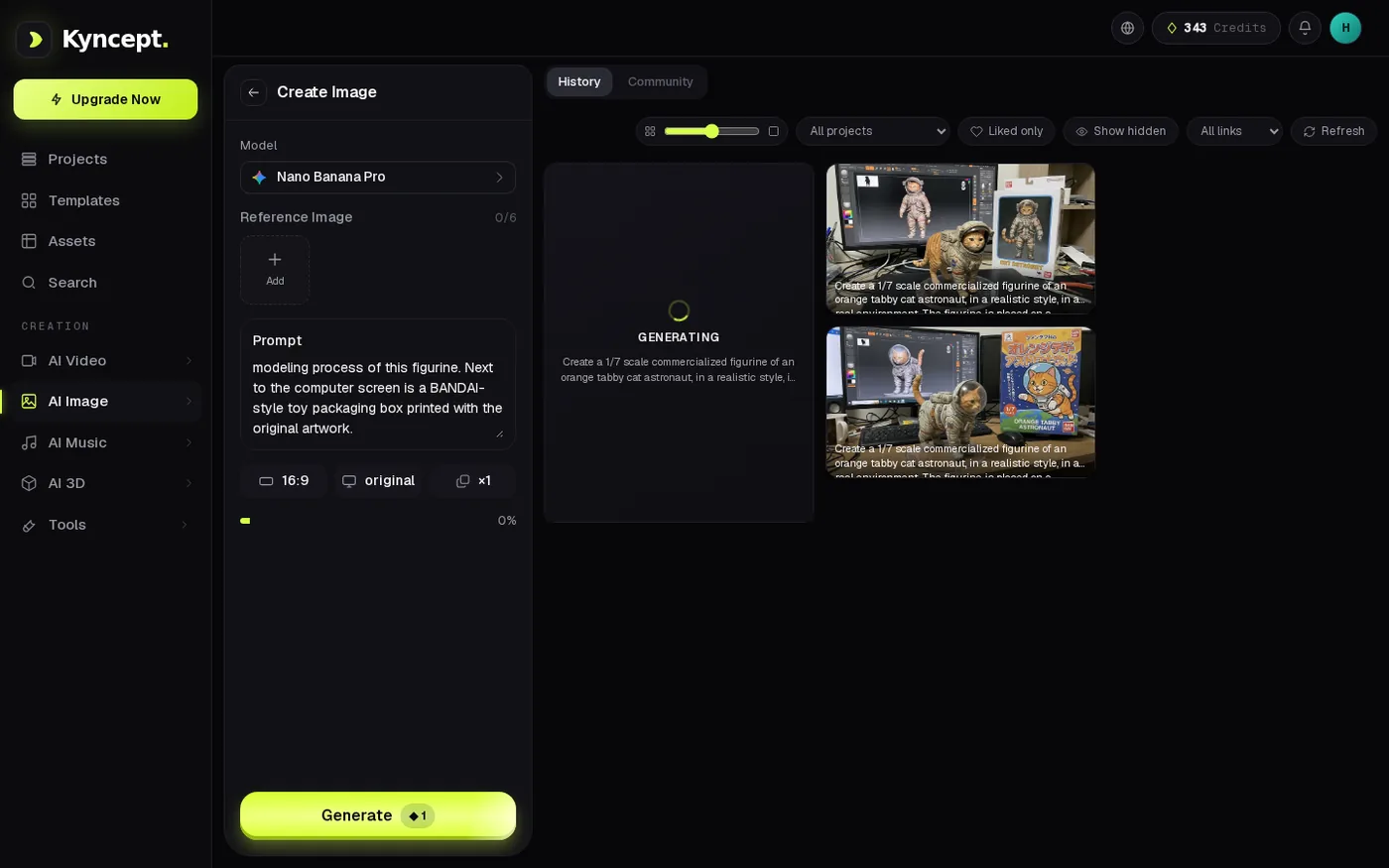 Kyncept mid-generation: progress bar on the card, balance already at 343.
Both tools charged exactly what the button said. The difference is the number on the button: 2 vs 1 for images, 80 vs 10 for video with sound.
Use case A: an ASMR account posting 30 clips a month
One 8-second clip with sound per day is 30 clips a month.
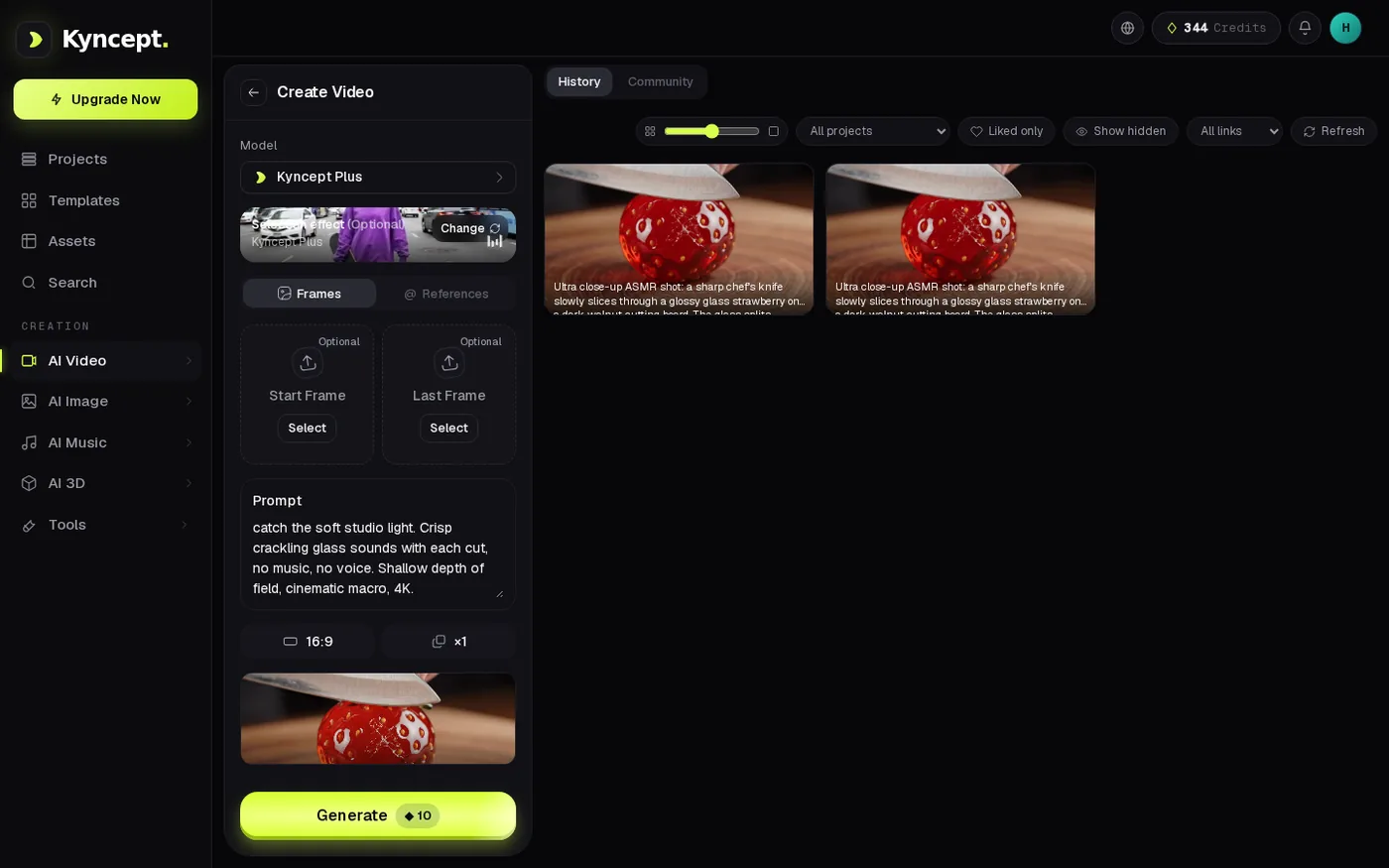 Kyncept history with the glass strawberry clips, 10 credits each.
- Higgsfield (Veo 3.1) — 30 × 80 = 2,400 credits. Plus holds 1,200, enough for 15 days. You need Ultra at $129.
- Kyncept — 30 × 10 = 300 credits. Starter holds 400. $19.
- Monthly gap — $129 vs $19, 6.8×, or $110 a month and $1,320 a year.
You also cannot drop to Starter to save money, because Veo 3.1 is "Not included" there.
Use case B: a figurine shop at 300 images a month
This is where Higgsfield has a real argument. A merch shop needs 300 product images a month.
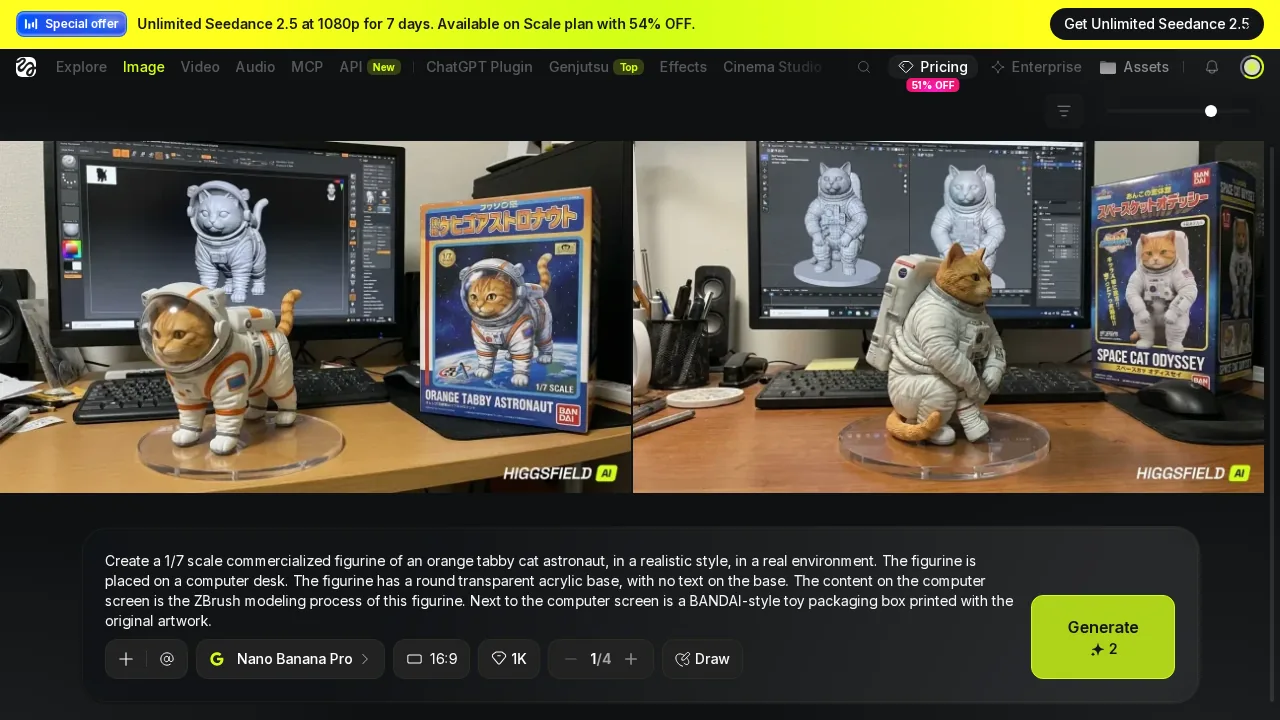 Two watermarked Higgsfield results under a Seedance 2.5 banner.
- Higgsfield — 300 × 2 = 600 credits. Starter's 270 credits cover only 135 images, so you need Higgsfield Plus at $59.
- Kyncept — 300 × 1 = 300 credits. Starter at $19.
- Monthly gap — $59 vs $19, 3.1×.
- Waiting, one at a time — Higgsfield 300 × ~25 s ≈ 2.1 hours · Kyncept 300 × 64–92 s ≈ 5.3–7.6 hours.
I concede this openly: Higgsfield images are 2.5–3.5× faster, and Kyncept loses on speed. The exchange rate is simple. If you can't wait, Higgsfield is faster, for $40 more a month. That buys back roughly 3.2 to 5.5 hours of waiting.
Use case D: four clips a day, 120 a month
Four 8-second clips with sound every day is 120 clips.
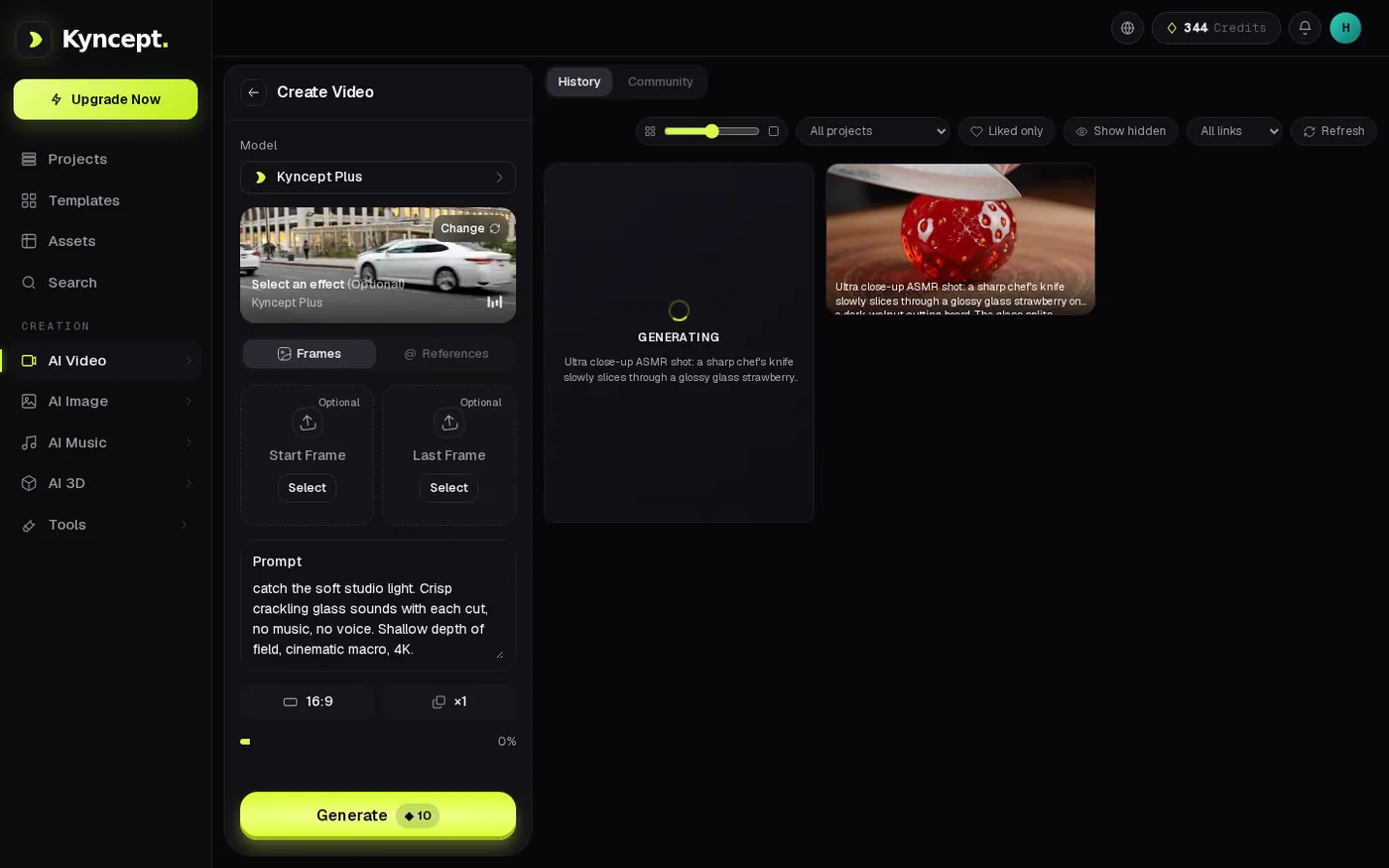 Kyncept video generating: the top-bar balance has dropped by exactly 10.
- Higgsfield (Veo 3.1) — 120 × 80 = 9,600 credits, beyond even the 9,000-credit Ultra tier.
- Higgsfield (Kling 2.6 with sound) — about 2.0 credits per second, 10-second clips: 120 × 20 = 2,400 credits → Ultra at $129.
- Kyncept — 120 × 10 = 1,200 credits, the $59 Pro plan exactly.
- Monthly gap — $129 vs $59 on the cheapest path, $70 a month or $840 a year.
That $129 is the floor. With Veo 3.1, a 120-clip month does not fit any Higgsfield tier I saw.
Commercial rights and billing transparency
Price includes what you may do with the output. The Higgsfield free plan is not for commercial use; the Kyncept FAQ states generated content can be used commercially. Both free Higgsfield images carried a "HIGGSFIELD AI" watermark baked into the raw PNG, bottom-right, not a page overlay.
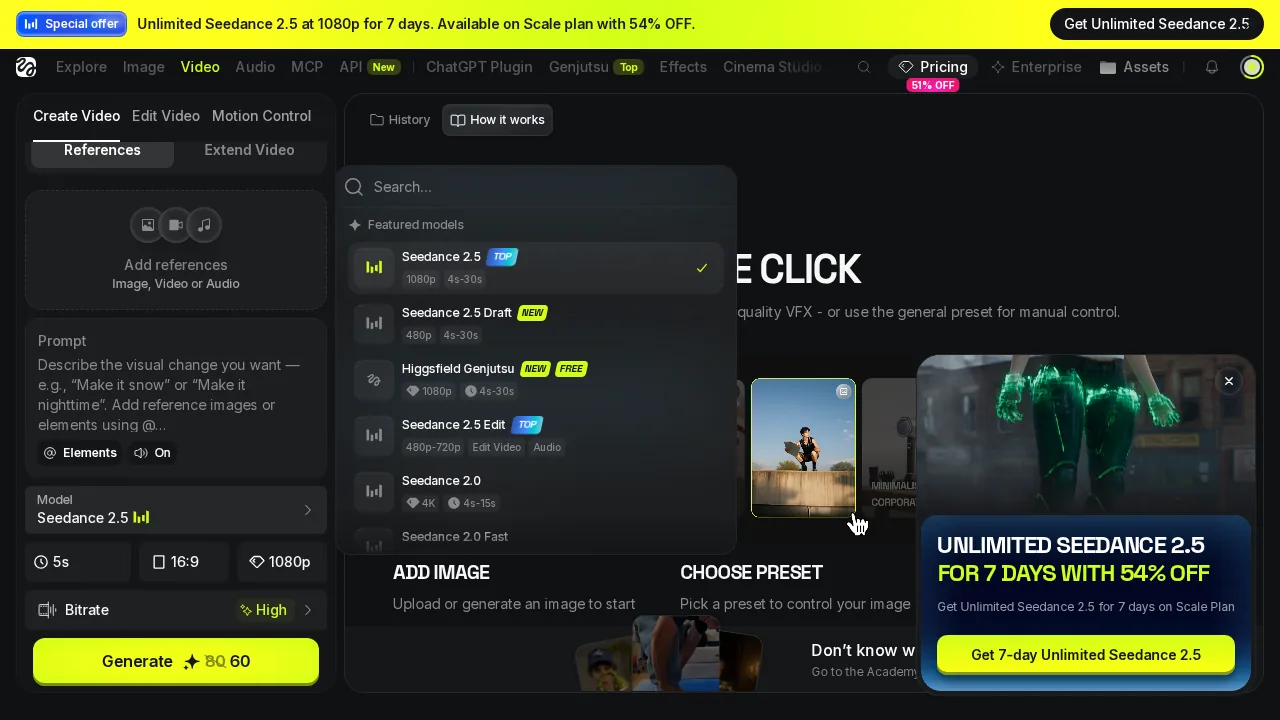 Higgsfield video model list with an "UNLIMITED SEEDANCE 2.5" pop-up card on top.
In one session Higgsfield showed me 5 kinds of upsell: a 51% OFF "Offer expires in" countdown, a Seedance 2.5 top banner, the "UNLIMITED SEEDANCE 2.5" pop-up, a "Credits are running low! Over 90% already used" toast while the wallet showed 10 credits, and the full-screen UPGRADE REQUIRED modal. Kyncept showed 0 pop-ups, only a fixed "Upgrade Now" button in the sidebar, and its balance matched every charge.
Side evidence from the free tier: with a text prompt only, Higgsfield free produced 0 videos. Veo 3.1 hit the upgrade wall, Kling 2.5 Turbo said "Start frame required", Seedance Pro Fast said "Provide an image", and Wan 2.5 Fast failed 3 out of 3 with "Failed / Credits refunded".
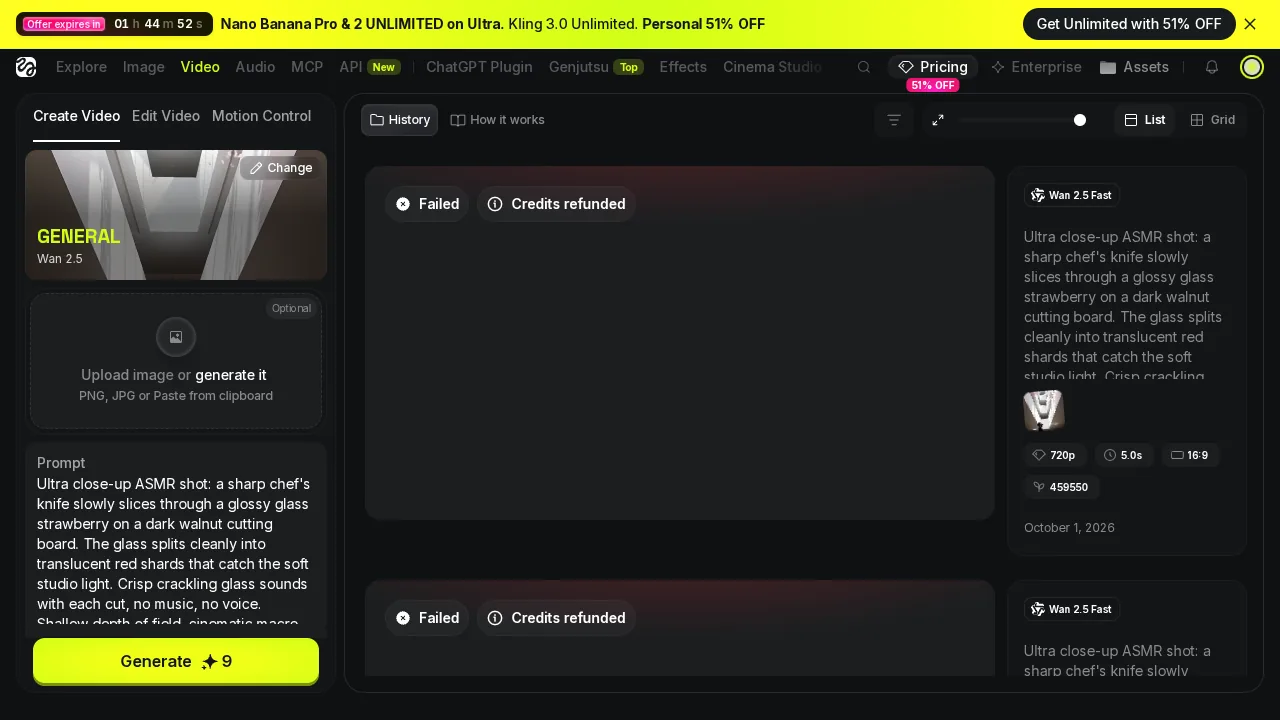 Two Higgsfield Wan 2.5 Fast jobs marked "Failed / Credits refunded".
Final verdict: Higgsfield scores 54/100 for clips with sound on a monthly budget
For this job Higgsfield costs 8× more per clip: $3.93 vs $0.49, 15 vs 120 clips on the same $59, $129 vs $19 for a 30-clip month, $129 vs $59 for a 120-clip month. Images cost 2× the credits for the same Nano Banana Pro output.
Higgsfield does earn points: 2.5–3.5× faster images, a far bigger model catalogue, 250+ camera and VFX presets, and 1080p and 4K video tiers. Kyncept has small regrets: slower images, 720p video with no resolution picker, one figurine with weathered paint. Pick Higgsfield if you need 1080p or 4K and presets and budget is no issue. For anyone counting credits, Higgsfield is the expensive way to make the same 8 seconds.
Which one I would use for this job
To post short clips with sound every day, I would use Kyncept. $19 covers 30 clips, $59 covers 120, and each clip is $0.49 with sound. The plans are at https://kyncept.com.
If you sell high-resolution footage or need the Higgsfield preset library, budget for Higgsfield Ultra at $129 and accept $3.93 per Veo 3.1 clip.
Originally published on Medium: Higgsfield Pricing Review 2026: $3.93 for One 8-Second Clip With Sound.