If you're exploring ai face swap tools alongside other AI video options, this review shows what happened when Higgsfield's free text-to-video models were tested against Kyncept. It covers video generation, credits, sound and upgrade barriers—not face swapping.
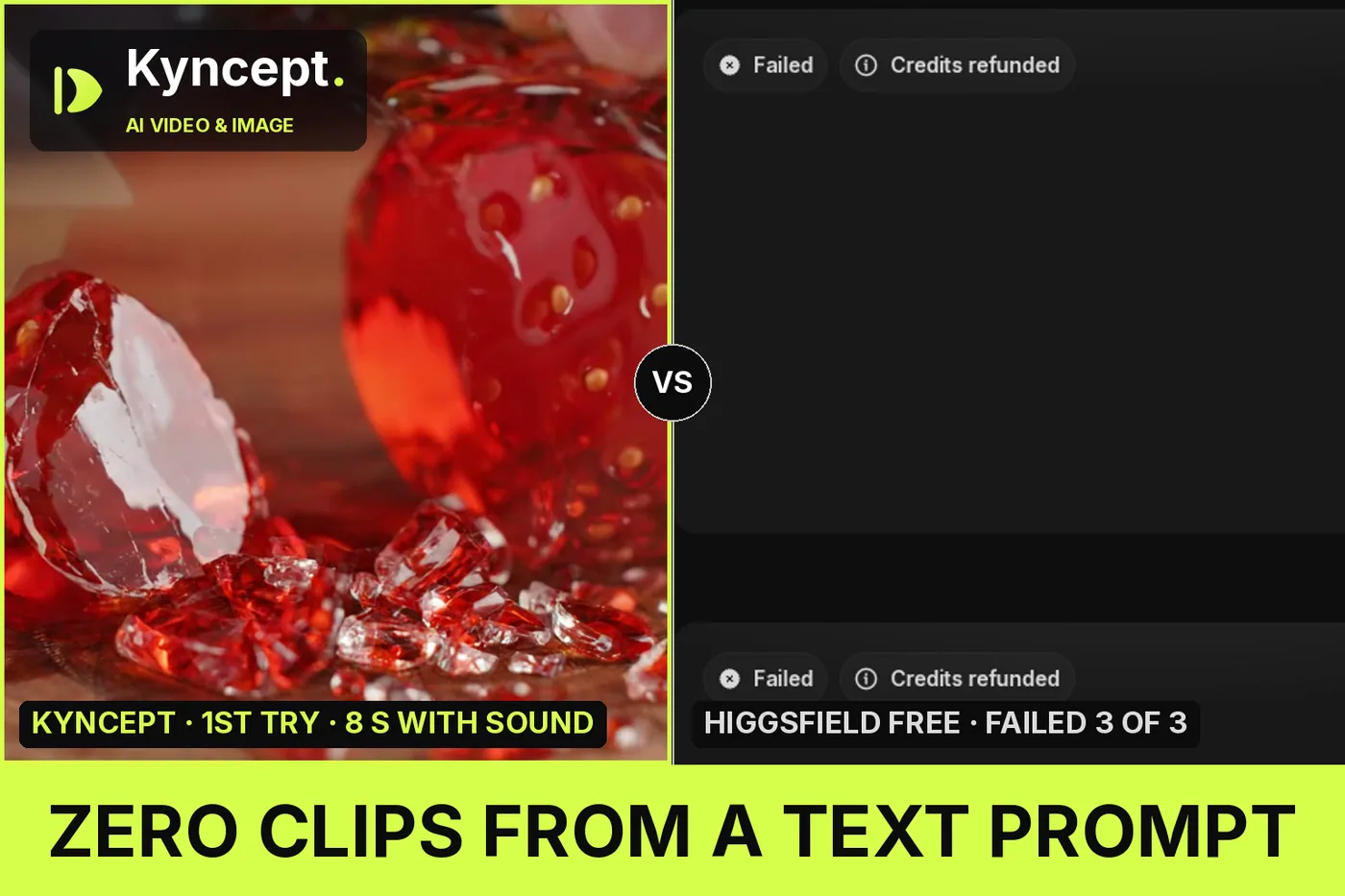
I opened two brand-new Higgsfield accounts, pasted one text prompt for a glass-strawberry ASMR clip, and walked away with zero videos, three refunded failures and five different upsells. The same prompt on Kyncept returned an 8-second clip with sound on the first try, in 97.7 seconds.
Independent review: both products were run on my own accounts — Higgsfield on new free tiers, Kyncept on a paid Pro plan — with no vendor-provided access.
My verdict in 60 seconds — Higgsfield 58/100, Kyncept 90/100
If all you have is a text prompt and a free Higgsfield account, it will not give you a video, and Kyncept (https://kyncept.com) will.
- Prompt-only video — Higgsfield 2/10 · Kyncept 9/10 — 0 clips from 4 free models vs 1 clip on the first Kyncept try
- Free-tier usability — Higgsfield 3/10 · Kyncept 8/10 — 10 free credits bought 0 seconds of video; Kyncept spent 10 credits on 8 seconds
- Sound — Higgsfield 5/10 · Kyncept 9/10 — Sound needs Veo 3.1 at 80 credits; Kyncept includes AAC stereo at 10 credits
- Failure handling — Higgsfield 5/10 · Kyncept 9/10 — Wan 2.5 Fast failed 3 of 3 with no reason; Kyncept failed 0 times
- Honesty of balance display — Higgsfield 4/10 · Kyncept 9/10 — The toast said "Over 90% already used" after a refund had restored all 10 credits
- Upsell pressure — Higgsfield 2/10 · Kyncept 9/10 — 5 kinds of upsell in one session vs 0 pop-ups on Kyncept
- Prompt fidelity — Higgsfield 5/10 · Kyncept 9/10 — Enhance rewrites prompts by default; Kyncept rendered all 4 actions verbatim
- Speed-to-first-clip — Higgsfield 1/10 · Kyncept 9/10 — Never finished; Kyncept took 97.7 s
The concrete problems on Higgsfield:
- Veo 3.1, the text-to-video model with sound at 80 credits, opens a full-screen "UPGRADE REQUIRED" wall on free.
- Kling 2.5 Turbo and Seedance Pro Fast both refuse a text-only prompt ("Start frame required", "Provide an image").
- Wan 2.5 Fast accepts text, then fails three times in a row, a few seconds each.
- A "Credits are running low" toast appeared while the balance was still full.
For a first video from nothing but a text prompt, I would use Kyncept.
The test: one ASMR prompt, two fresh Higgsfield free accounts
I picked the "glass fruit ASMR" trend because it stresses everything at once: macro detail, a cutting action, and sound. The prompt, run at 16:9 on both tools:
"Ultra close-up ASMR shot: a sharp chef's knife slowly slices through a glossy glass strawberry on a dark walnut cutting board. The glass splits cleanly into translucent red shards that catch the soft studio light. Crisp crackling glass sounds with each cut, no music, no voice. Shallow depth of field, cinematic macro, 4K."
Higgsfield (https://higgsfield.ai) was tested on two new free accounts, 10 credits each. Kyncept was tested on a paid Pro account. Both companies sell a $59/month plan with 1,200 credits, so one credit costs $0.0492 on each side and the per-clip math below is apples to apples.
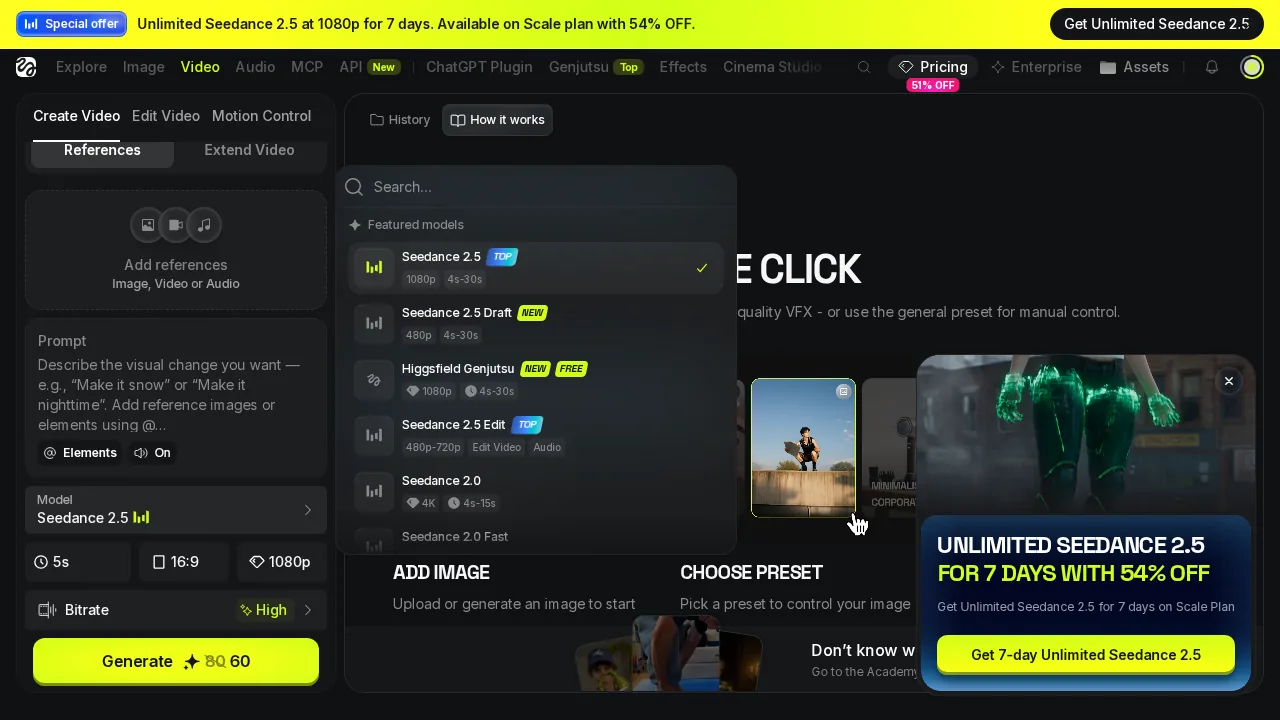 The Higgsfield video model list, with an "UNLIMITED SEEDANCE 2.5" pop-up on top before I chose anything.
Veo 3.1 on Higgsfield: 80 credits, then a full-screen upgrade wall
The obvious pick for this prompt is Veo 3.1: text-to-video, 8 seconds, with sound. It costs 80 credits for 720p or 1080p and 120 credits for 4K. At $0.0492 per credit, that is $3.93 per 8-second clip on Higgsfield Plus.
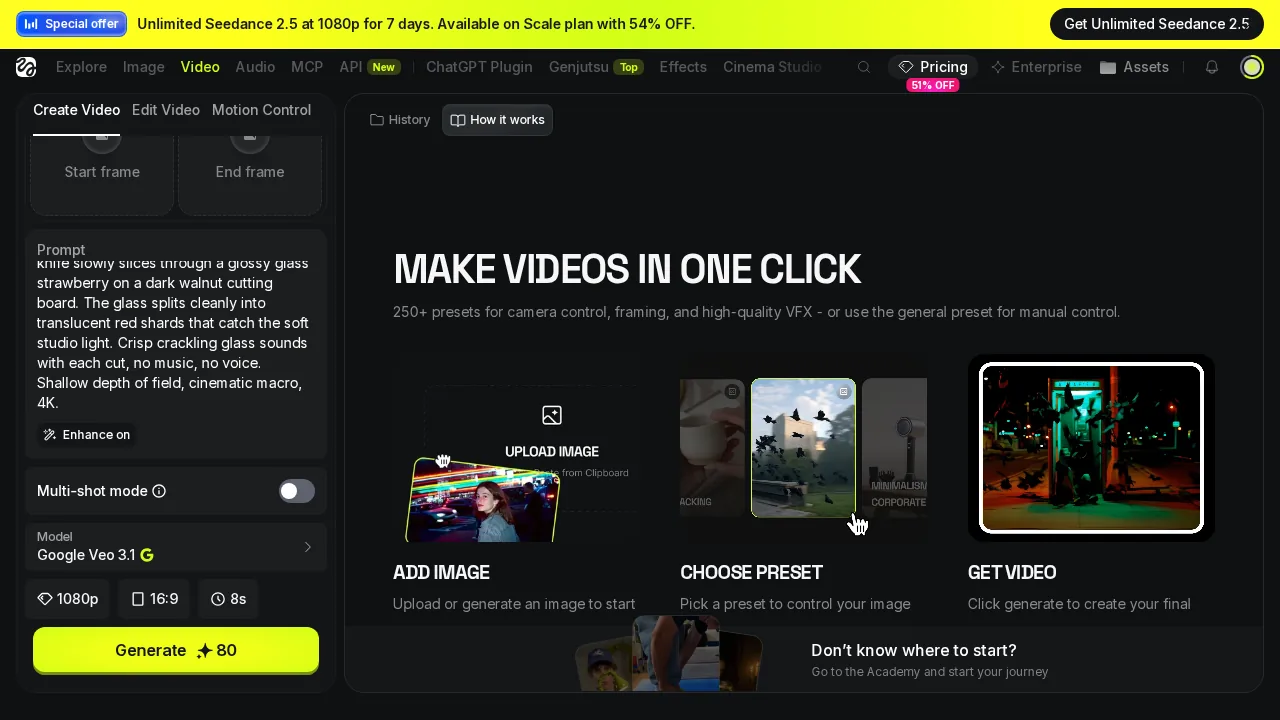 Higgsfield Veo 3.1 at 1080p, 8 s: the Generate button reads 80, and "Enhance" is already switched on.
On a free account, 80 credits is 8× the 10-credit wallet, so I expected a polite "not enough credits." Instead, Higgsfield opened a full-screen "UPGRADE REQUIRED" modal with a countdown timer and a "51% OFF" badge, listing Starter at $19 for 270 credits, Plus at $42/month annual and Ultra at $79/month annual. Even the $19 Starter plan lists Veo 3.1 as "Not included," so the cheapest path to this exact clip is Plus.
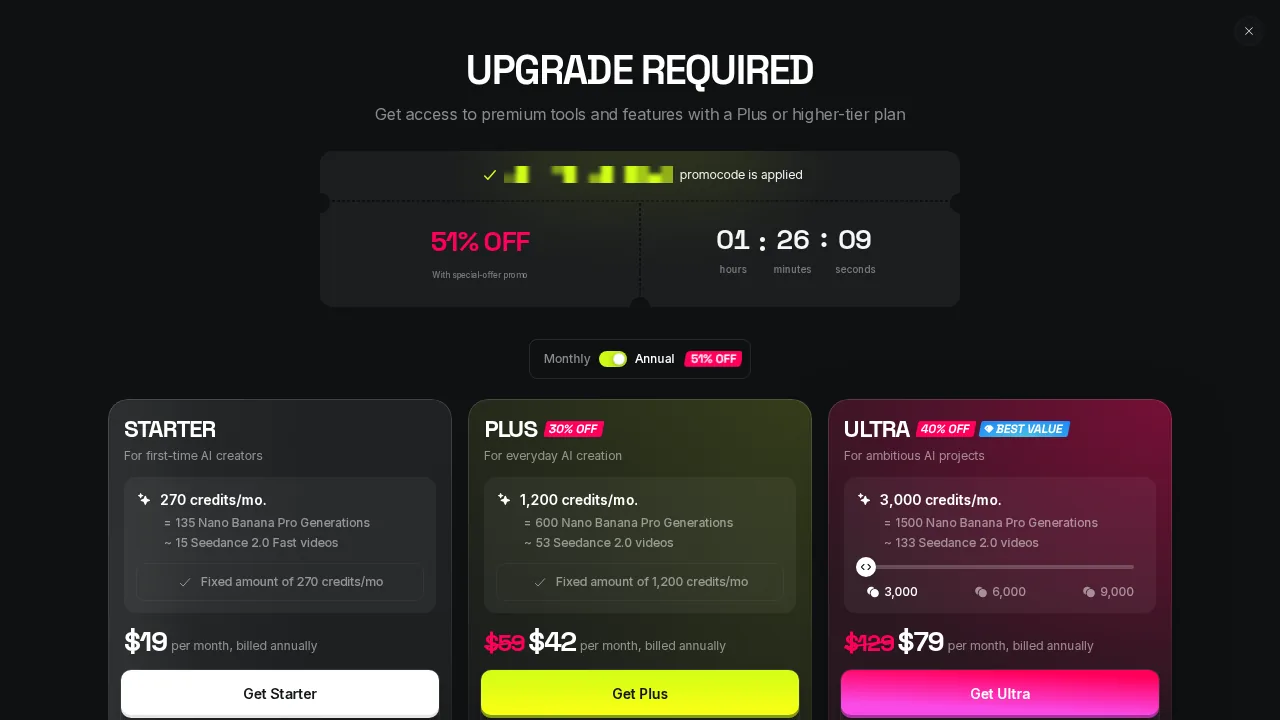 The Higgsfield UPGRADE REQUIRED modal: countdown, 51% OFF, and three plans.
- Price per 8-second clip with sound — Higgsfield $3.93 (Veo 3.1, 80 credits) · Kyncept $0.49 (10 credits) · 8×
- Clips per month on $59 — Higgsfield 15 · Kyncept 120 · 8×
Kling and Seedance on Higgsfield: "Start frame required"
With Veo 3.1 walled off, I tried the Higgsfield models that fit a free wallet. Kling 2.5 Turbo costs 6 credits per run. The start-frame slot is not optional, but nothing on the form says so until you press Generate.
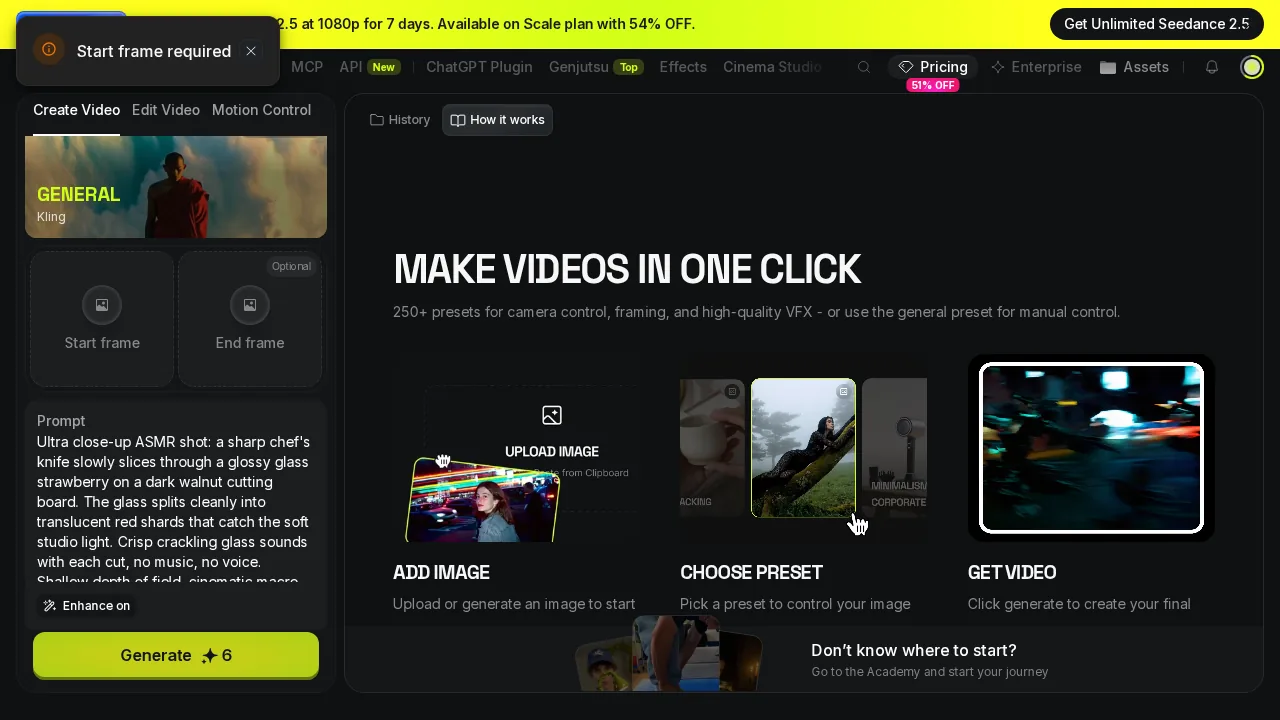 Higgsfield Kling 2.5 Turbo after clicking Generate: a "Start frame required" toast, no job, no charge.
Seedance Pro Fast, at 4 credits, did the same thing with different words: "Provide an image." No job started, and 0 credits moved. Both are image-to-video models dressed up in a text box. For a first-timer who has only a sentence, that is 2 of 4 free options gone before a single job started.
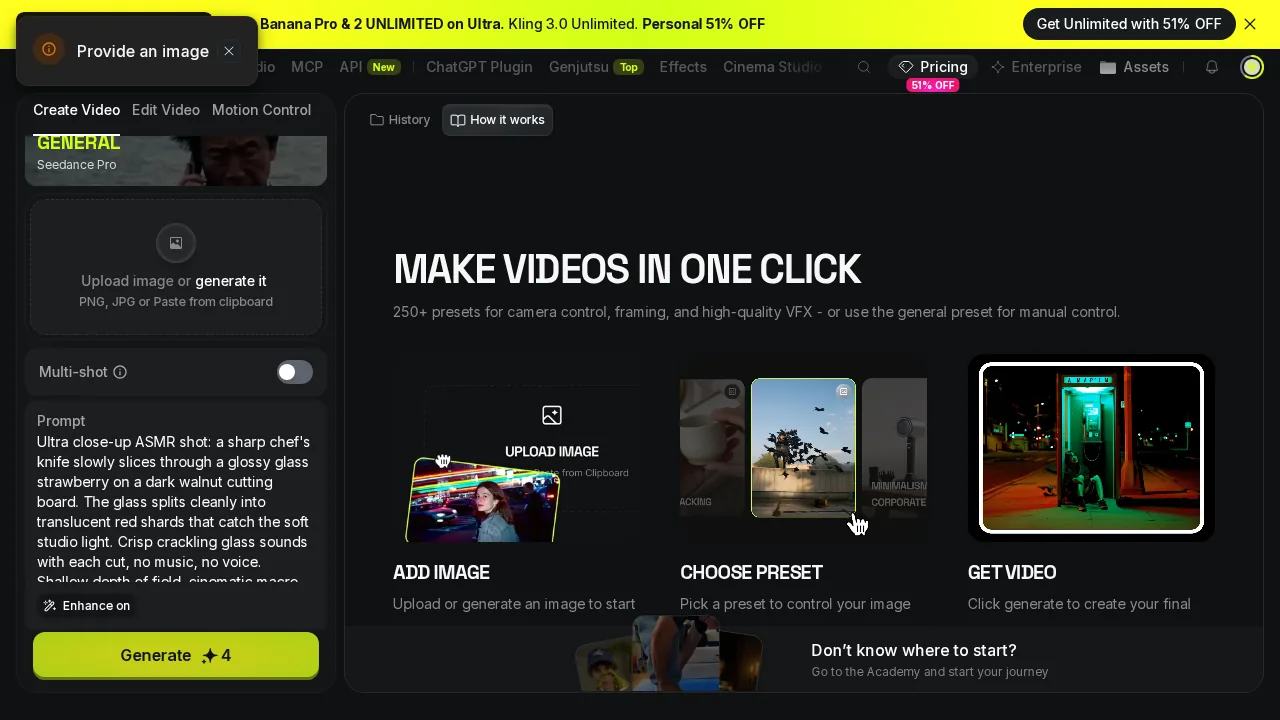 Higgsfield Seedance Pro Fast: "Provide an image."
Wan 2.5 Fast on Higgsfield: three failures, three refunds, zero reasons
Wan 2.5 Fast is the only free Higgsfield model that accepted my text prompt on its own. It costs 9 credits for 720p at 5 seconds, which already means a shorter clip than the 8 seconds Kyncept returned; the free lengths on offer were 5 to 6 seconds.
It failed three times out of three. Each attempt died within a few seconds with "Failed / Credits refunded" and no explanation. The refunds were real: the second Higgsfield account still showed 10 credits afterward. But a refund is not a video. After three attempts my output was 0 seconds of footage and 0 MB of files.
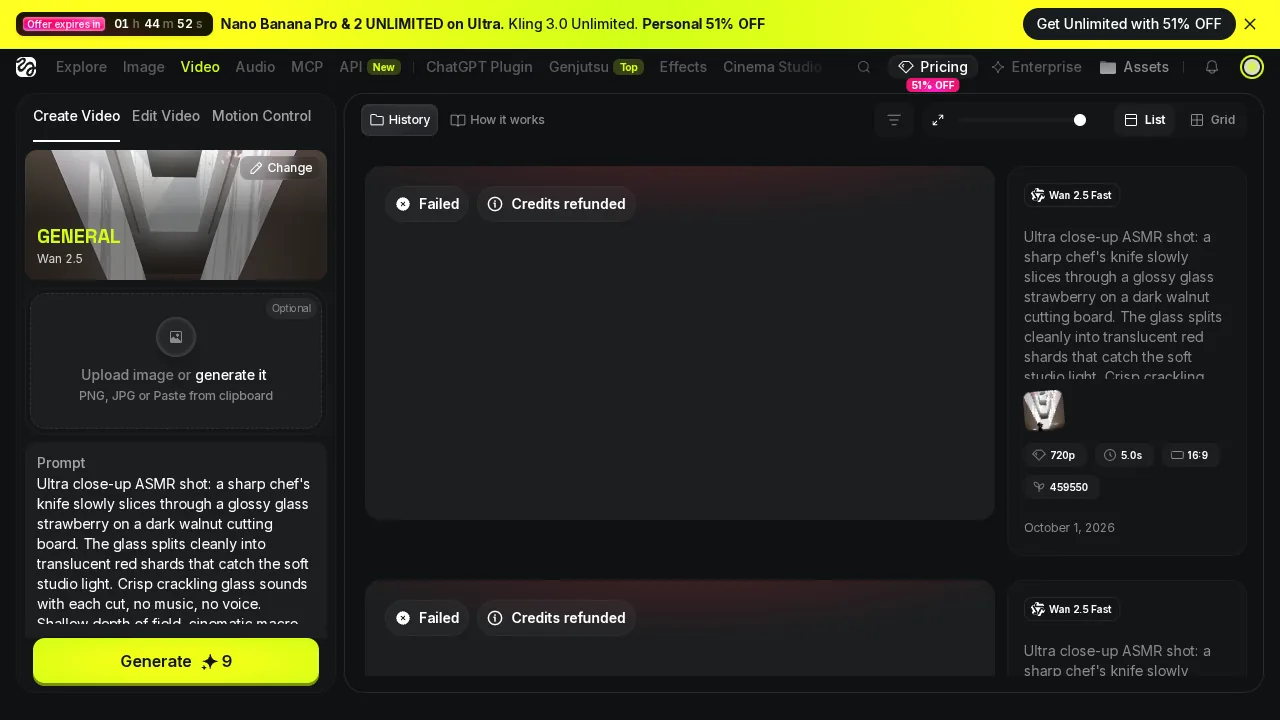 Two "Failed / Credits refunded" cards on Higgsfield Wan 2.5 Fast.
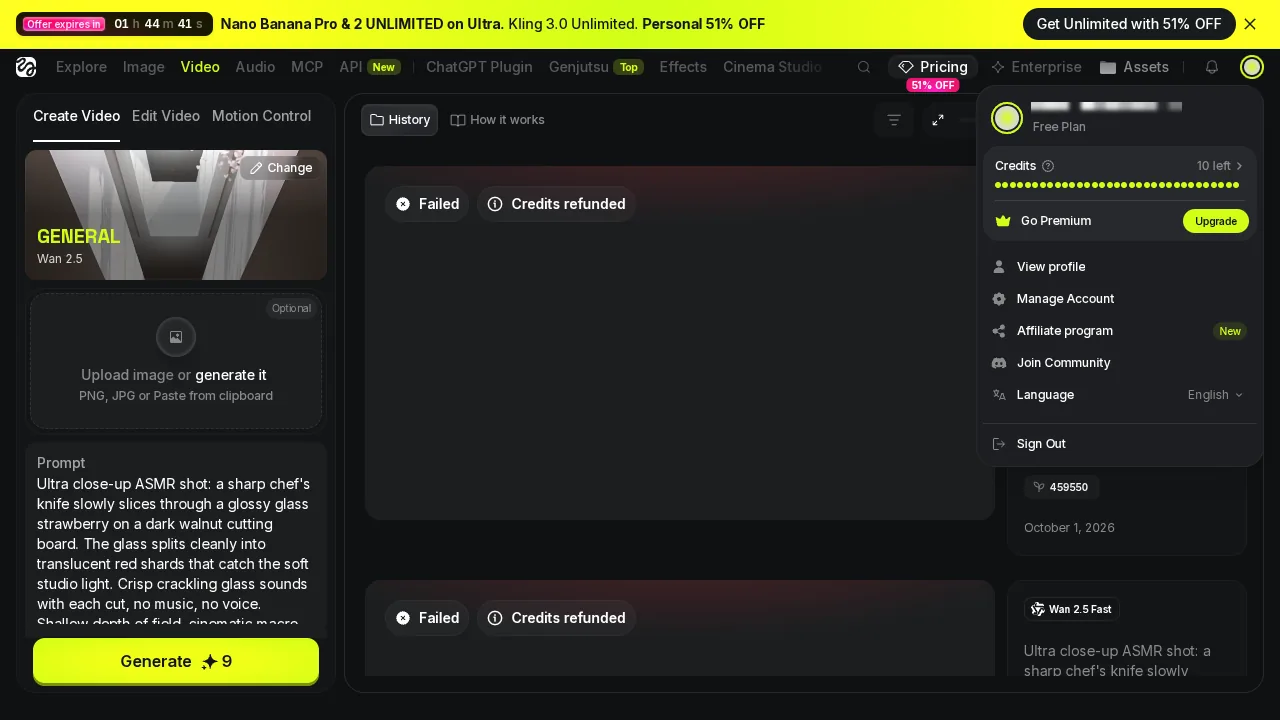 After the failures: the account menu still reads 10 credits left, and the history holds zero videos.
"Over 90% used" at 10 credits: five Higgsfield upsells in one session
Here is the moment that cost Higgsfield the most points. The failed Wan job had been refunded, and my wallet was back to 10 credits, the full free allowance. Higgsfield still displayed a toast: "Credits are running low! Over 90% already used." The upsell fired on a charge that had already been reversed.
It was one of five kinds of upsell I counted in a single Higgsfield session:
- An "Offer expires in" countdown banner with 51% OFF
- A Seedance 2.5 top banner
- A Seedance 2.5 pop-up card, "UNLIMITED SEEDANCE 2.5"
- The "Over 90% already used" toast after the refund
- The full-screen UPGRADE REQUIRED modal
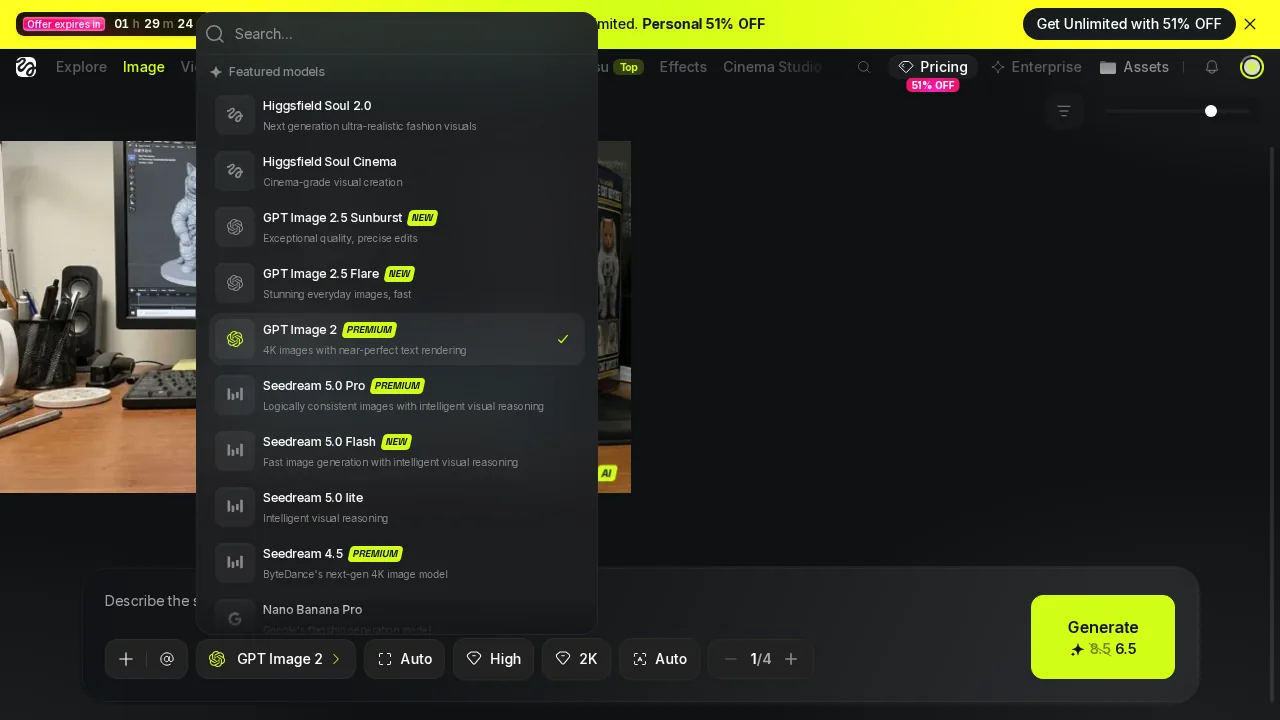 Higgsfield's model list with PREMIUM badges and the 51% OFF countdown banner.
Kyncept, over the whole image and video flow, showed 0 pop-ups. The only sales element was a fixed "Upgrade Now" button in the sidebar, and the balance in the top bar matched every charge to the credit.
Enhance on by default, and a Higgsfield page that locked me out
Higgsfield switches "Enhance" on by default for video, which rewrites your prompt before it reaches the model. For a precise ASMR brief ("no music, no voice") that is a risk, so I switched it off on every run. Kyncept submitted my prompt verbatim and showed it back in a summary while generating.
Then, after a few quick clicks between Higgsfield models, the whole page turned into "Access is temporarily restricted." A reload fixed it, but a first-timer clicking around to find a model that accepts text will hit this exactly when they are already confused. Free Higgsfield also runs 1 job at a time, so there is no way to queue a backup attempt.
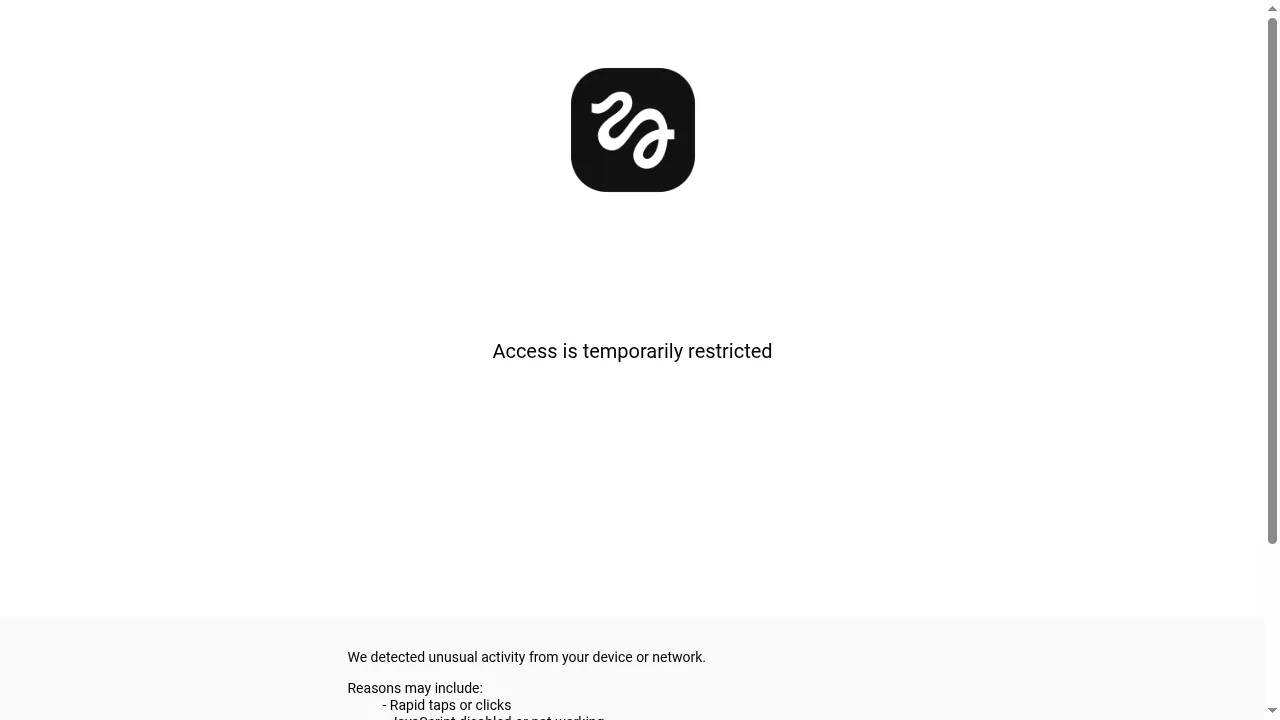 The Higgsfield anti-bot page: "Access is temporarily restricted."
Kyncept: same prompt, first try, 97.7 seconds
On Kyncept I opened the video page for Kyncept Plus, Kyncept's own video model. The start frame and end frame are both labeled "Optional," and the Generate button reads 10 credits. There is no surprise on click.
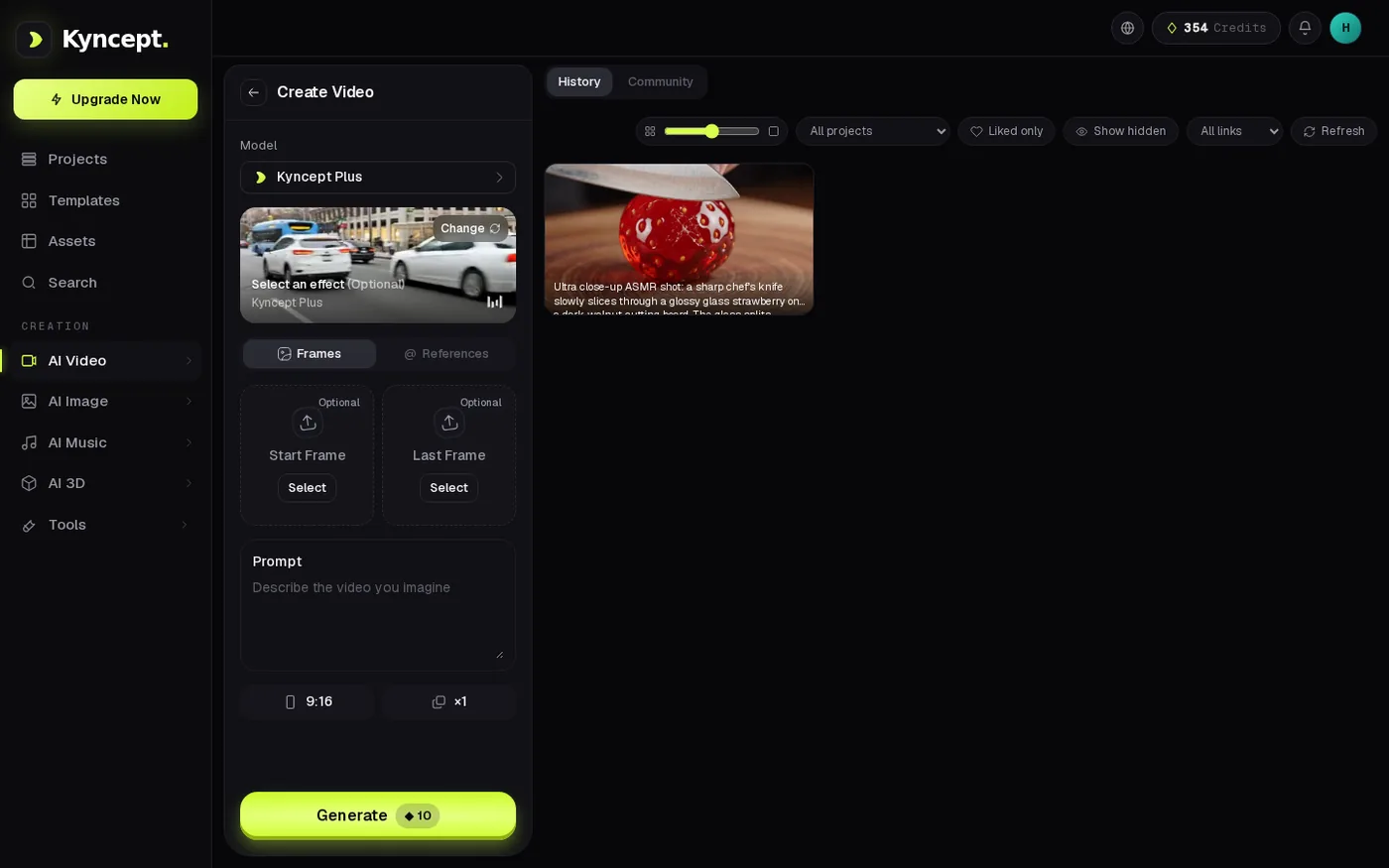 Kyncept Plus: start and end frames marked Optional, Generate ◆10.
I pasted the same prompt, kept 16:9 and pressed Generate. The balance dropped by exactly 10 credits, a progress bar appeared with my prompt summary, and the UI stopwatch stopped at 97.7 seconds. One attempt, 0 failures, 0 pop-ups. An image job ran at the same time without blocking it.
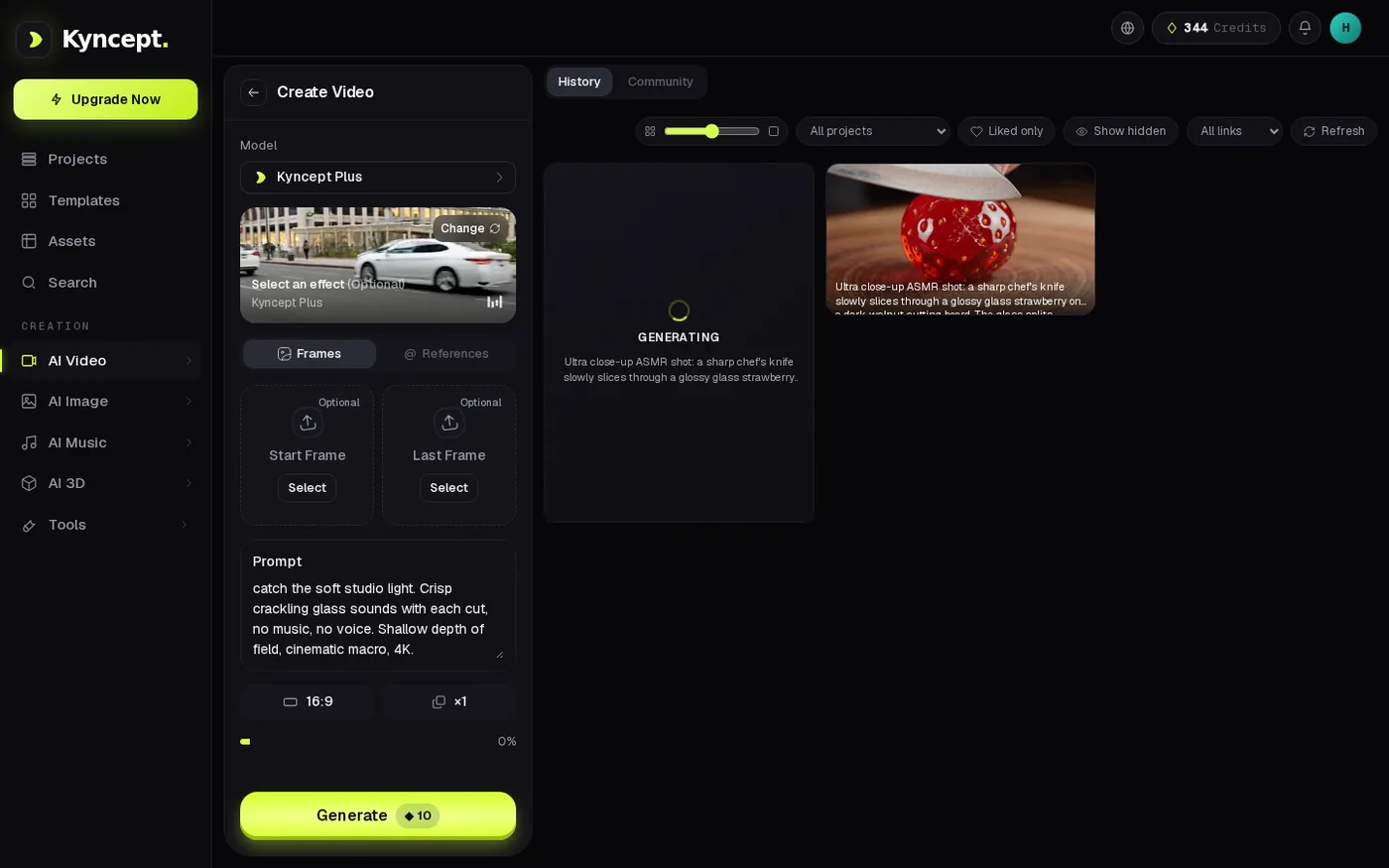 Kyncept generating the clip, balance down by 10.
- Speed to first clip from a prompt — Higgsfield never (0 of 4 models) · Kyncept 97.7 s
- Credits spent for that clip — Higgsfield 0 (nothing produced) · Kyncept 10 ($0.49)
What the 8-second Kyncept clip actually contains
I downloaded the file and ran ffprobe: 8.0 seconds, 1280×720, 24 fps, H.264, 2.29 MB, with AAC stereo audio at 48 kHz peaking at −1.0 dB. The glass crack is clearly audible, and there is no music, as the prompt asked.
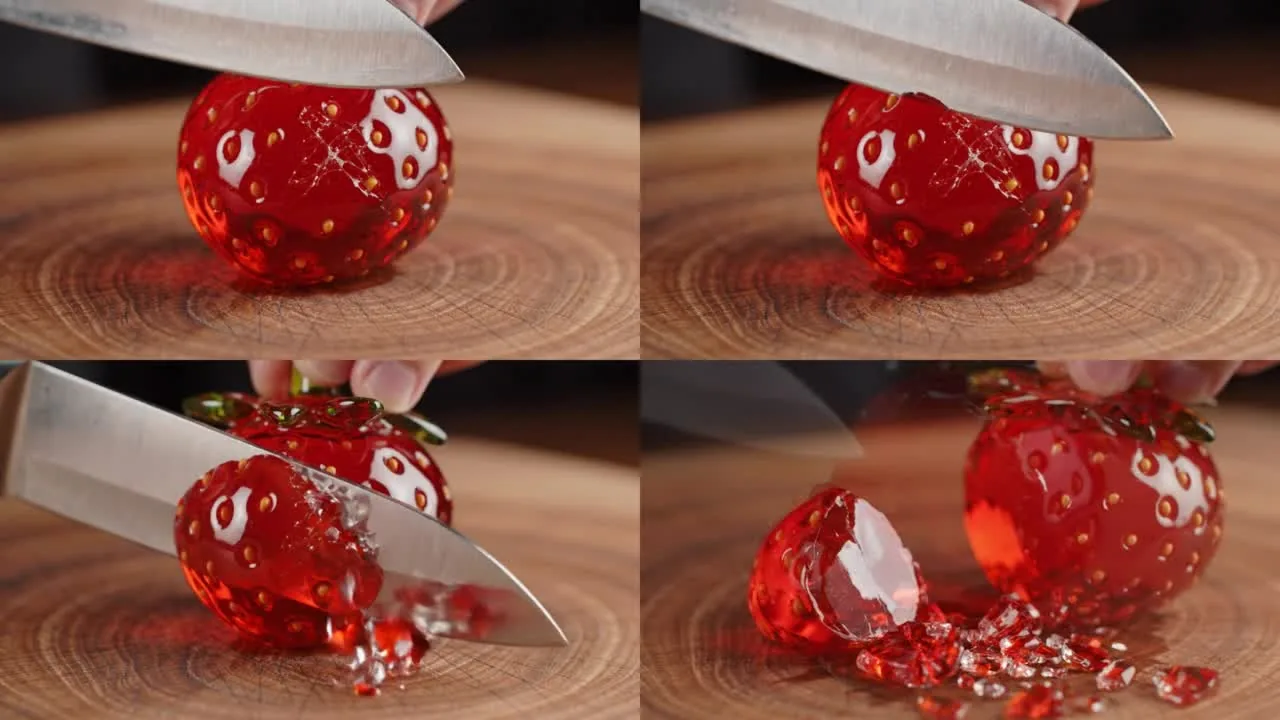 Four frames from the Kyncept clip: knife down, crack, cut, shards on the board.
The frames cover all four actions in the prompt: the knife comes down, the glass cracks, the blade cuts through, and translucent red shards land on the board. That is 4 of 4 prompt beats on the first try. Compared with Higgsfield on free, the delta is not quality; it is 8 seconds of finished video against nothing.
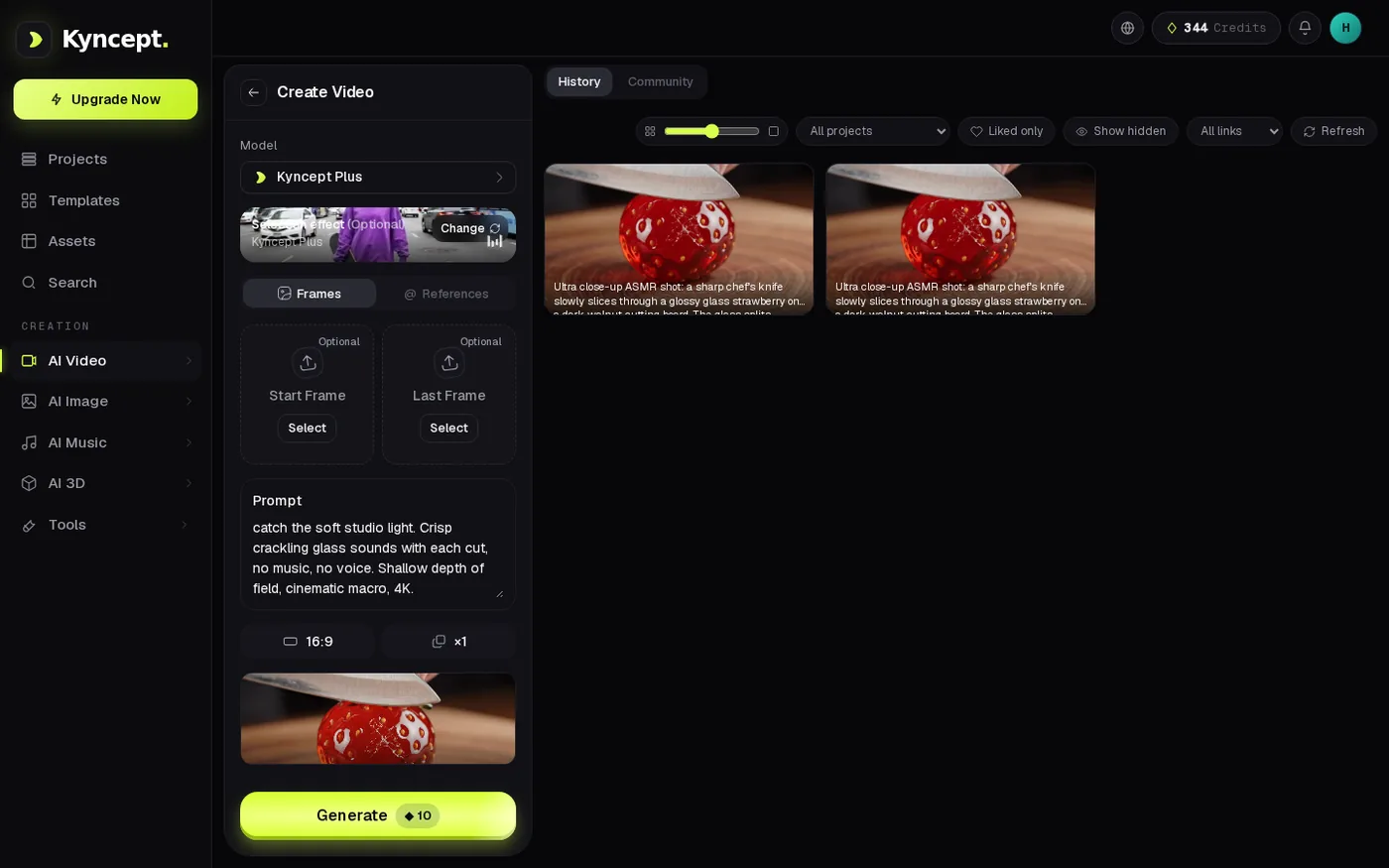 The glass strawberry clips in the Kyncept history.
Use case A: an ASMR account posting 30 clips a month
Scale the first-timer up into a small ASMR channel posting 30 eight-second clips with sound per month.
- Higgsfield (Veo 3.1) — 30 × 80 = 2,400 credits; Higgsfield Plus holds 1,200, so the job needs Ultra at $129/month
- Kyncept (Kyncept Plus) — 30 × 10 = 300 credits; fits Starter at $19/month (400 credits)
- Monthly bill — Higgsfield $129 · Kyncept $19 · 6.8×
Even Higgsfield's cheapest sound model, Kling 2.6 with sound, runs about 2.0 credits per second on paid plans, against 1.25 credits per second on Kyncept. Per second of audible video, Higgsfield costs 1.6× more before you count Veo.
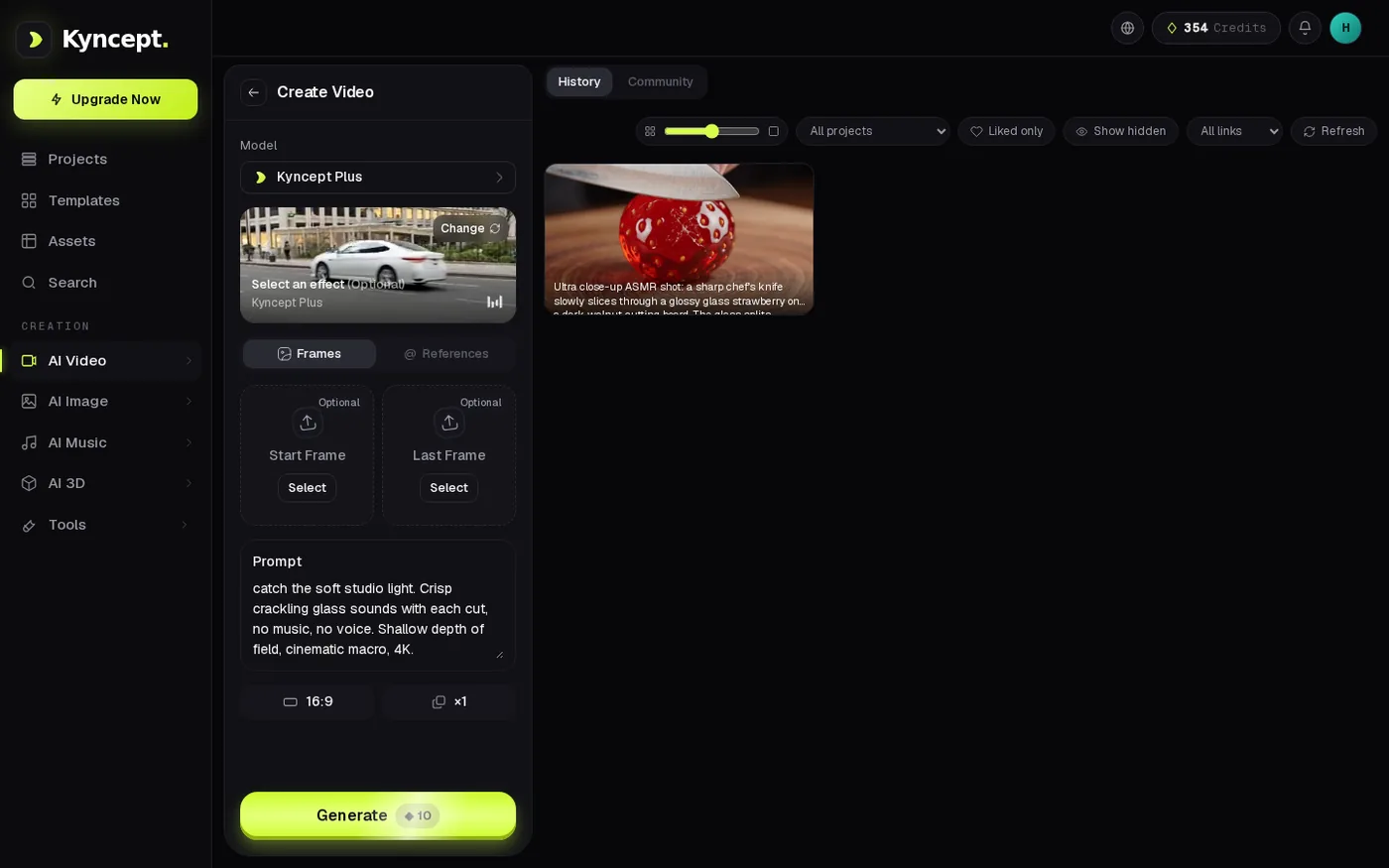 Kyncept video prompt filled at 16:9, Generate ◆10.
Where Higgsfield genuinely wins
Higgsfield is faster at images. With Nano Banana Pro on both sides, Higgsfield returned an image in about 25 seconds; Kyncept took 63.7 and 91.7 seconds. That is 2.5 to 3.5× in Higgsfield's favor, and I would not argue it. Higgsfield also has a far bigger model catalogue, 250+ camera and VFX presets, and 1080p and 4K video tiers, while Kyncept video is 720p only with no resolution picker.
The exchange rate: the same Nano Banana Pro image costs 2 credits on Higgsfield and 1 on Kyncept, with the same picture quality, and free Higgsfield images carry a "HIGGSFIELD AI" watermark baked into the raw PNG.
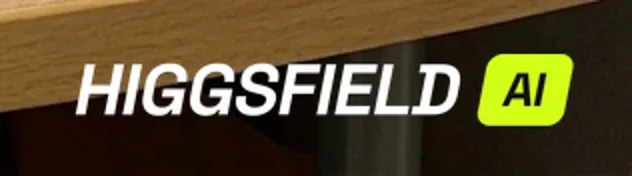 The HIGGSFIELD AI watermark inside the downloaded Higgsfield free PNG.
Pick Higgsfield if you need 1080p/4K and presets and budget is no issue.
Final verdict: Higgsfield scores 58/100 for prompt-only text-to-video
For a first-timer with only a text prompt, Higgsfield free produced 0 videos from 4 models: one paywalled, two that demand an image, one that failed 3 of 3. Along the way Higgsfield showed 5 kinds of upsell, told me my refunded wallet was 90% spent, switched prompt rewriting on by default and briefly locked the page. On paid plans, Higgsfield sound video costs $3.93 per 8-second Veo 3.1 clip, 8× Kyncept's $0.49. Higgsfield keeps its points for image speed, presets and 4K; it loses them on the one job this review tested.
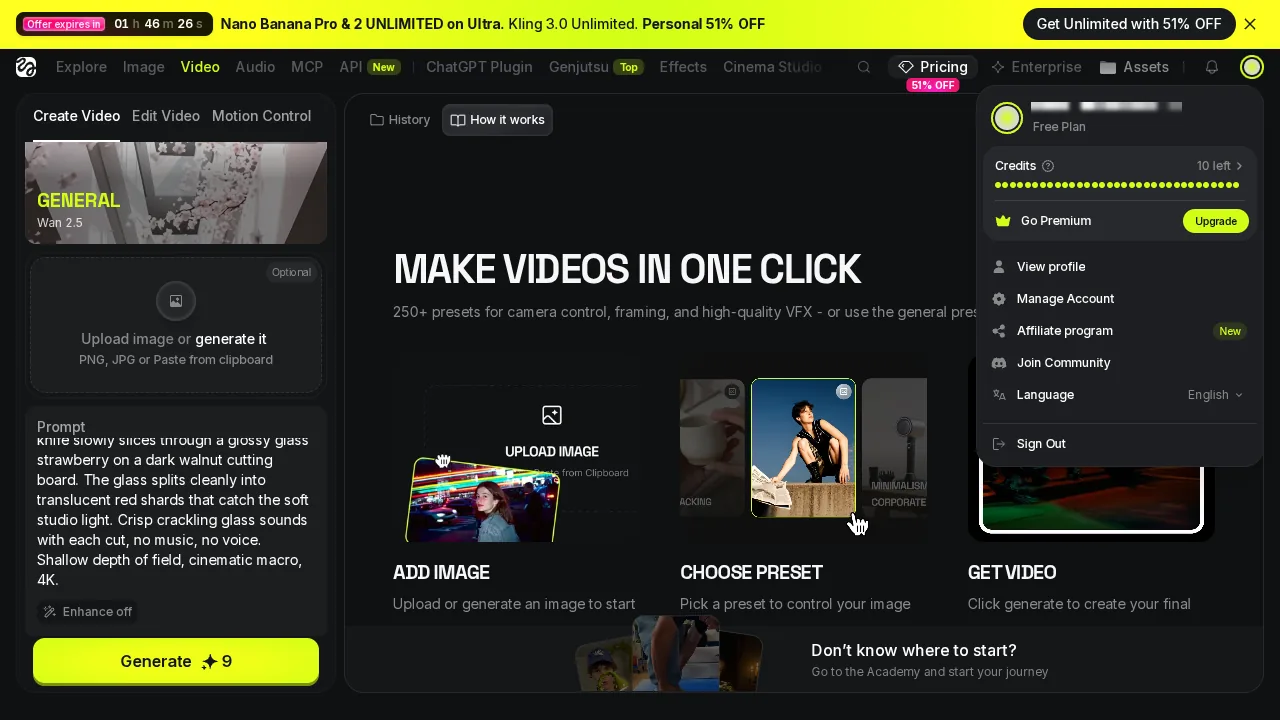 Higgsfield account two: Wan 2.5 Fast ready, Enhance off, 10 credits left, and still no clip at the end.
Which one I would use for this job
If you have a sentence and want a video with sound out of it today, I would use Kyncept: 10 credits, 97.7 seconds, 8 seconds of 720p with audio, first try, and 120 such clips on the same $59 that buys 15 on Higgsfield. Try the same glass-strawberry prompt at https://kyncept.com and compare the result against your own Higgsfield attempt.
Originally published on Medium: Higgsfield AI Video Review 2026: Zero Clips From a Free Text Prompt.